1) Can I change the Pulse Feedback scale?
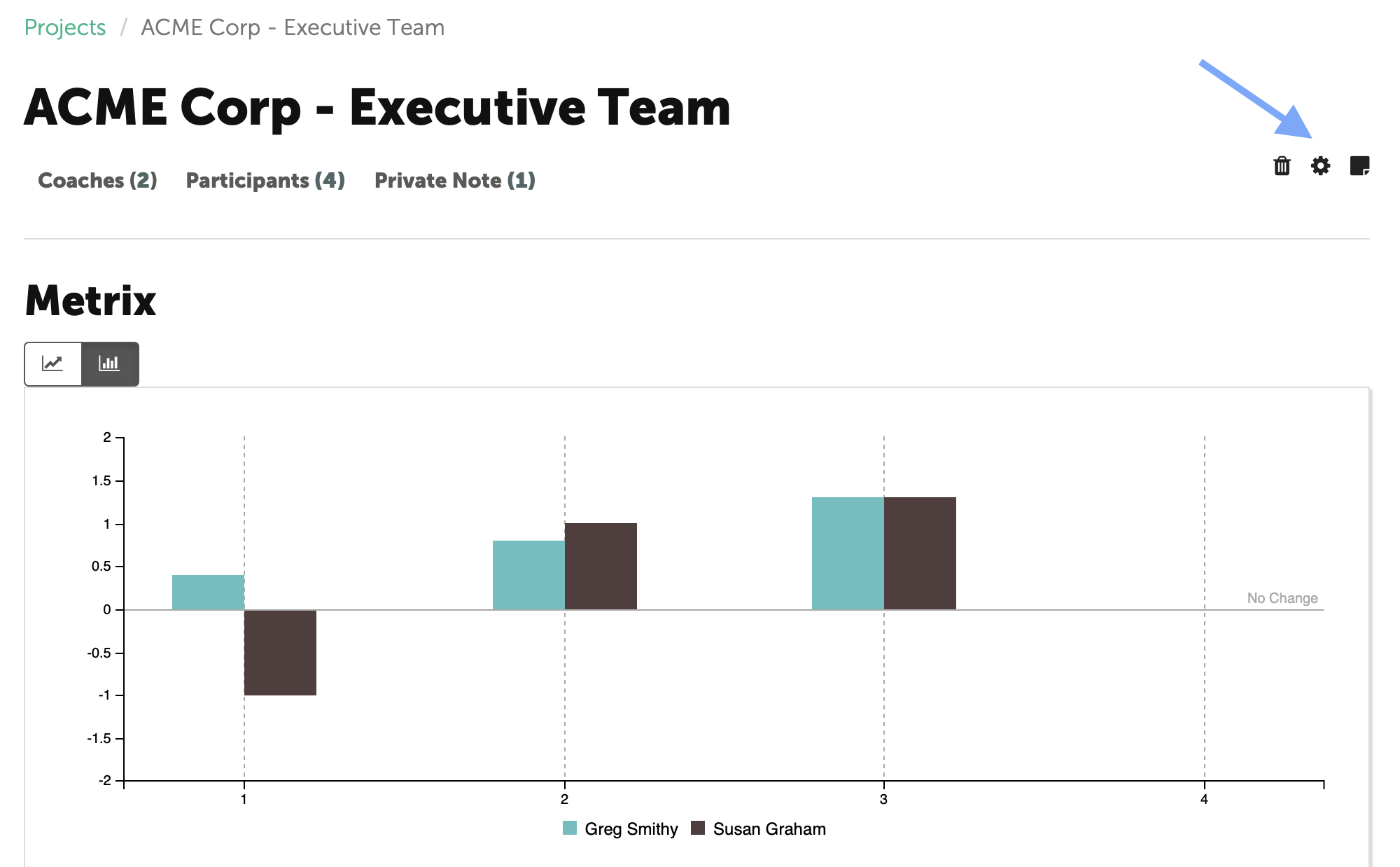
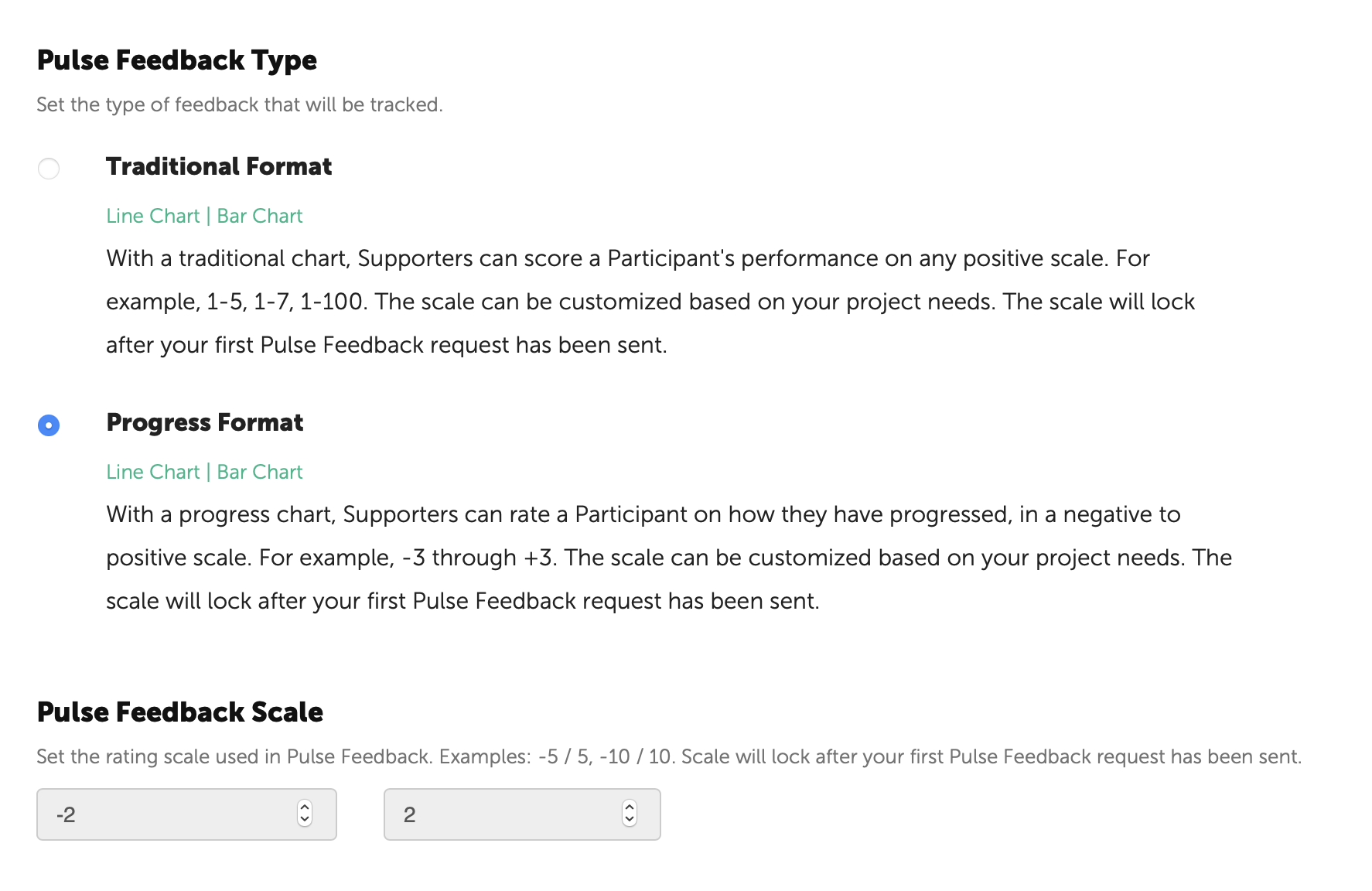
Yes, you may determine the format and associated scale while you are setting up the Pulse Feedback. To view the Project Settings, click the middle icon on the top right corner of the page.
NOTE: Once the Pulse Feedback has been initiated, the Format and Scale will lock and cannot be changed.
2) Can I anchor the value of the Pulse Feedback scale?
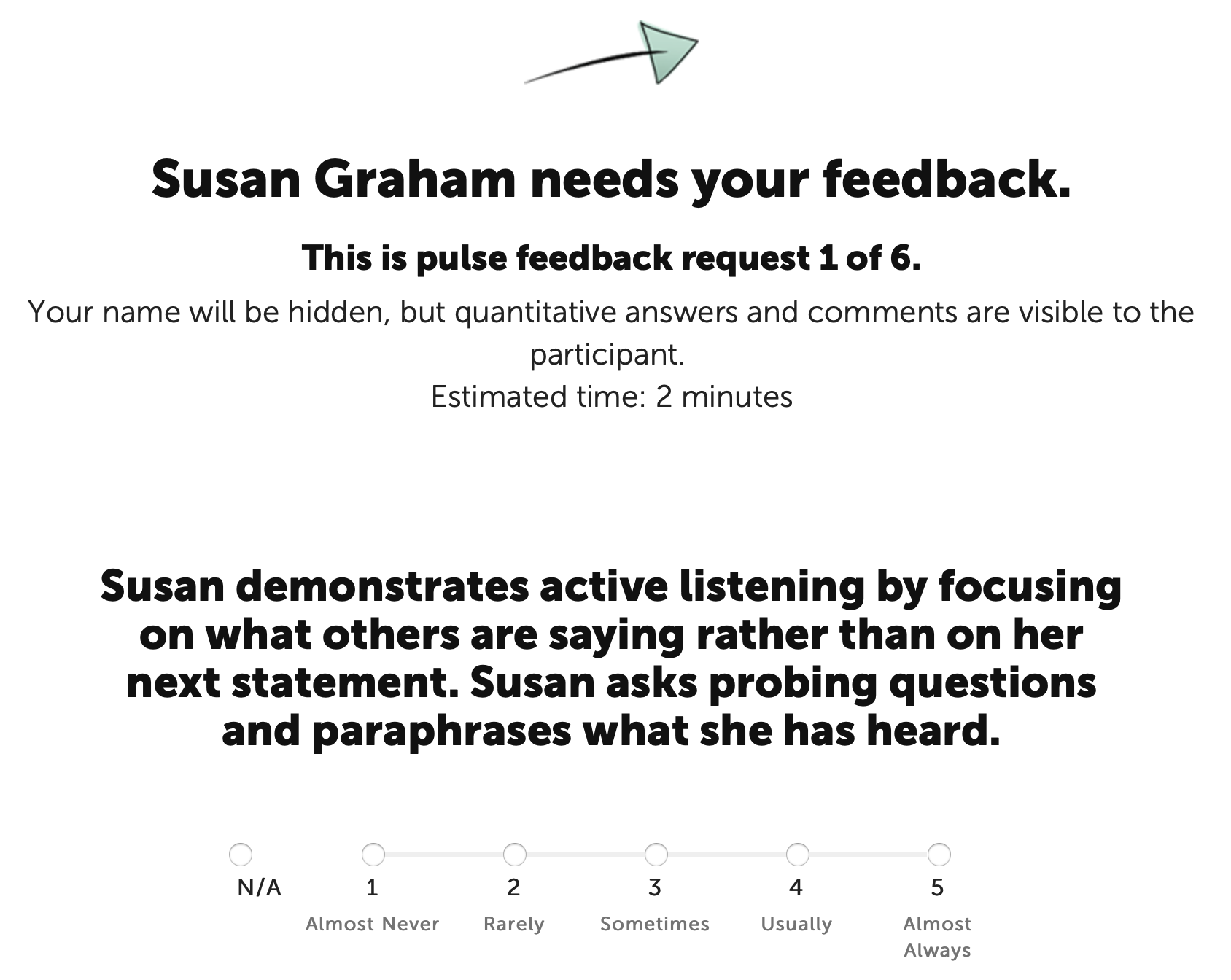
Yes, when setting up Pulse Feedback, a Coach has the option of selecting anchors for the format and scale selected.
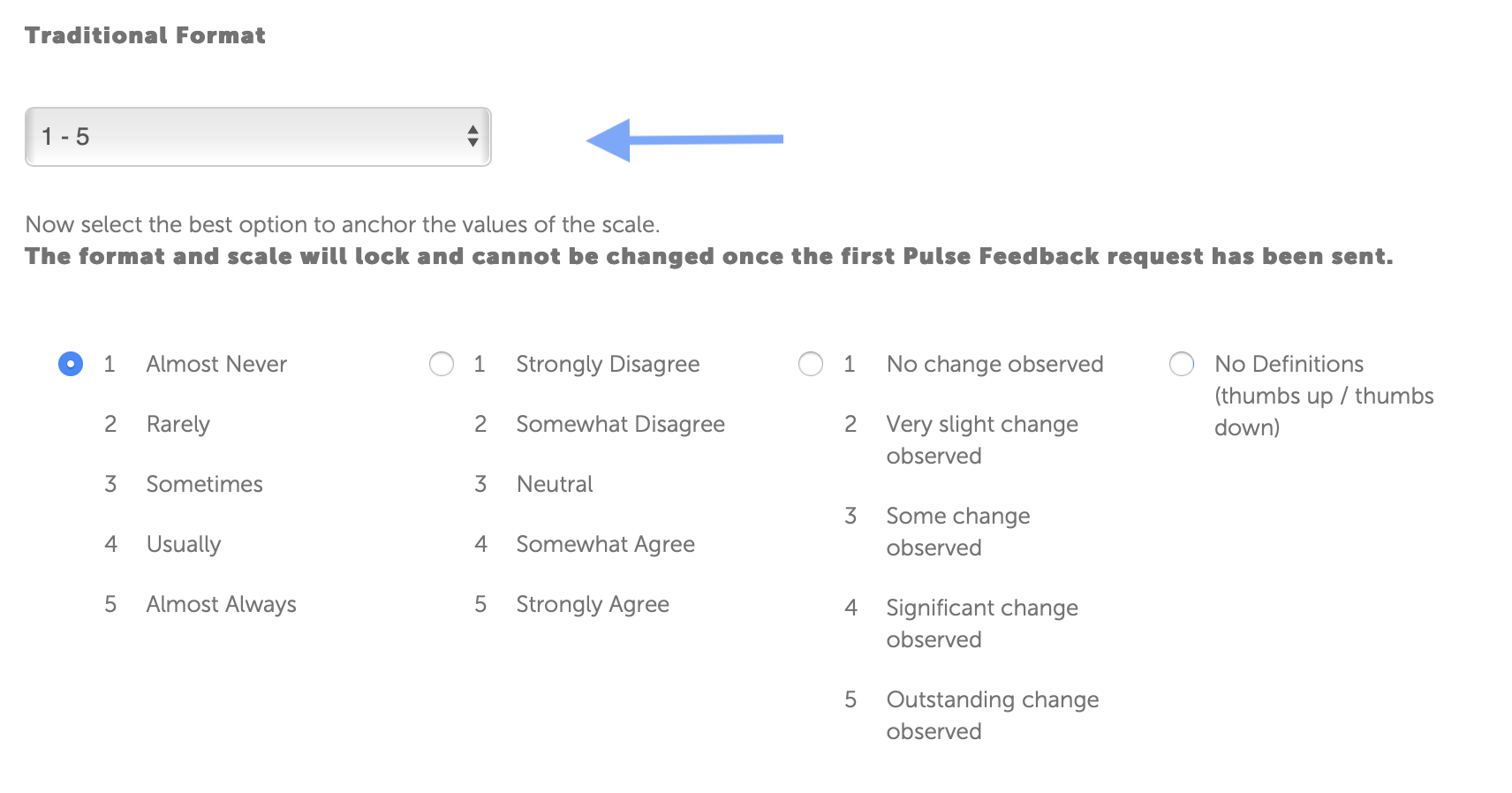
The anchors will be displayed on the Pulse Feedback survey.
3) How can I send Pulse Feedback Reminders?
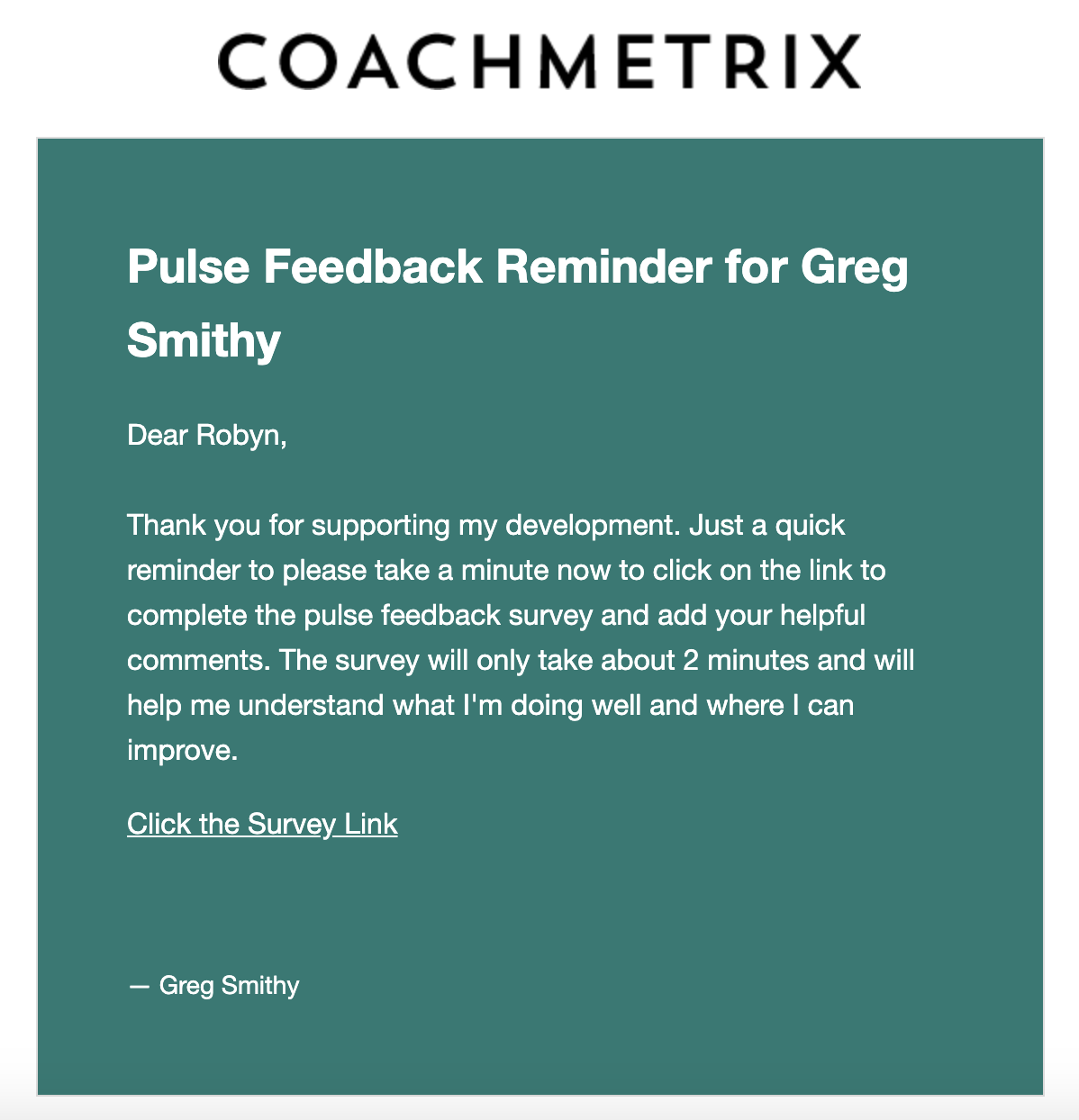
A Coach can enable “Feedback Reminders” to automatically send reminder emails to Supporters that have not responded to a Pulse Feedback requests. Reminders are sent every other day after the initial Pulse Feedback request (this applies to immediate and automated requests). A total of three reminders are sent.
To enable reminders, click the Project Setting icon (the gear at the upper right on your project page).

Scroll to the bottom of the page to the “Pulse Feedback Reminders” section. Click on the Enable Reminders box. Click on the green “Save the Project” button.
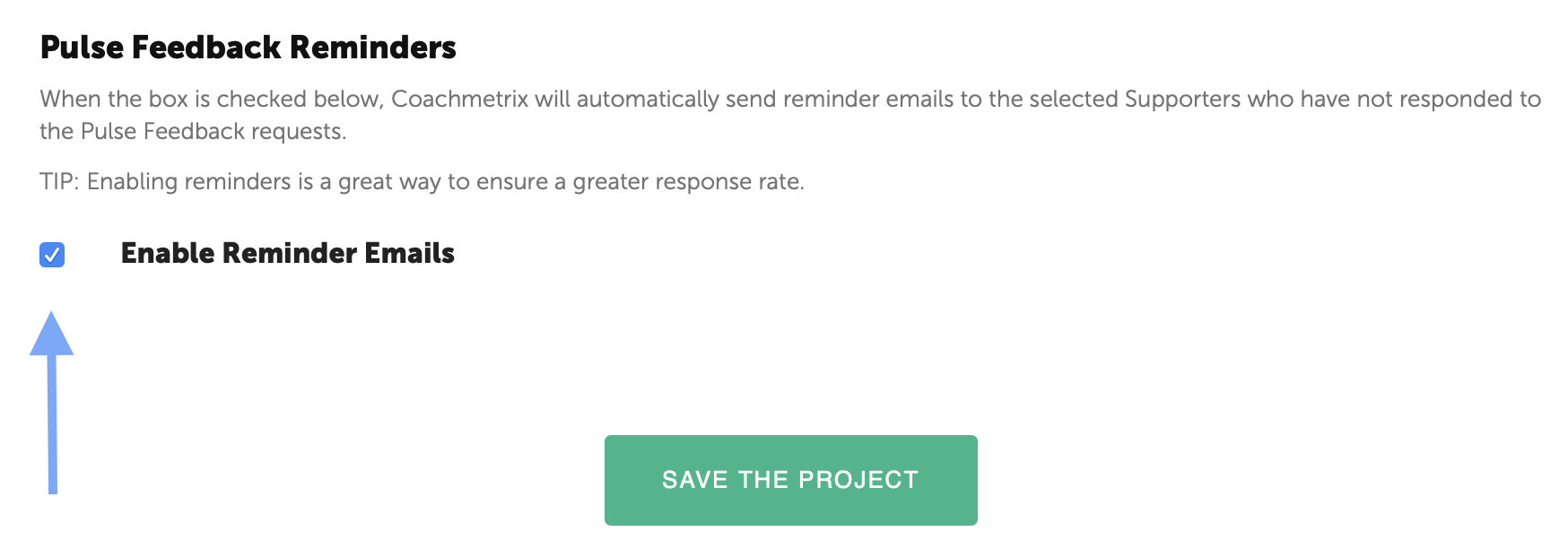
NOTE: Project Settings apply to all of the Participants on the Project.
4) Is there a way to break out feedback responses by supporter category, i.e. boss, peers, direct reports, similar to the way most 360 reports break out respondents?
Coachmetrix breaks out feedback responses in two categories - Self and Supporters. The purpose is to show how well aligned a Participant's perspective is with others.
Coachmetrix does not currently identify the Supporters Pulse Feedback responses into more granular categories such as Manager, Direct Report, Peers and Others.
5) What does the Pulse Feedback request, reminder, and received emails look like?
NOTE: All emails are sent from Coachmetrix (noreply@coachmetrix.com)
Pulse Feedback Request example:

Pulse Feedback Reminder example:
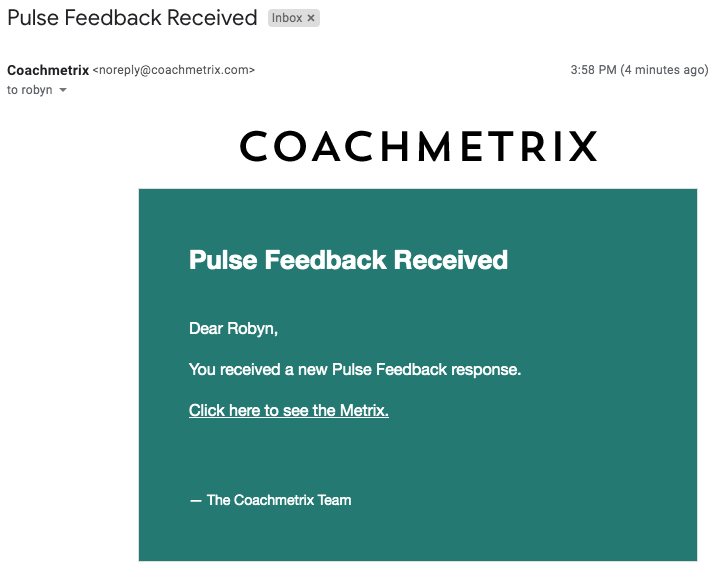
Pulse Feedback Received example: