

A coach can send a message via Discussions to multiple participants within a project at the same time.
First, select the icon to begin a new Discussion.

Next, click on the drop down arrow to display the names of all of the Participants within the Project. Check the box by the names of the other Participants that you would like to receive the message.
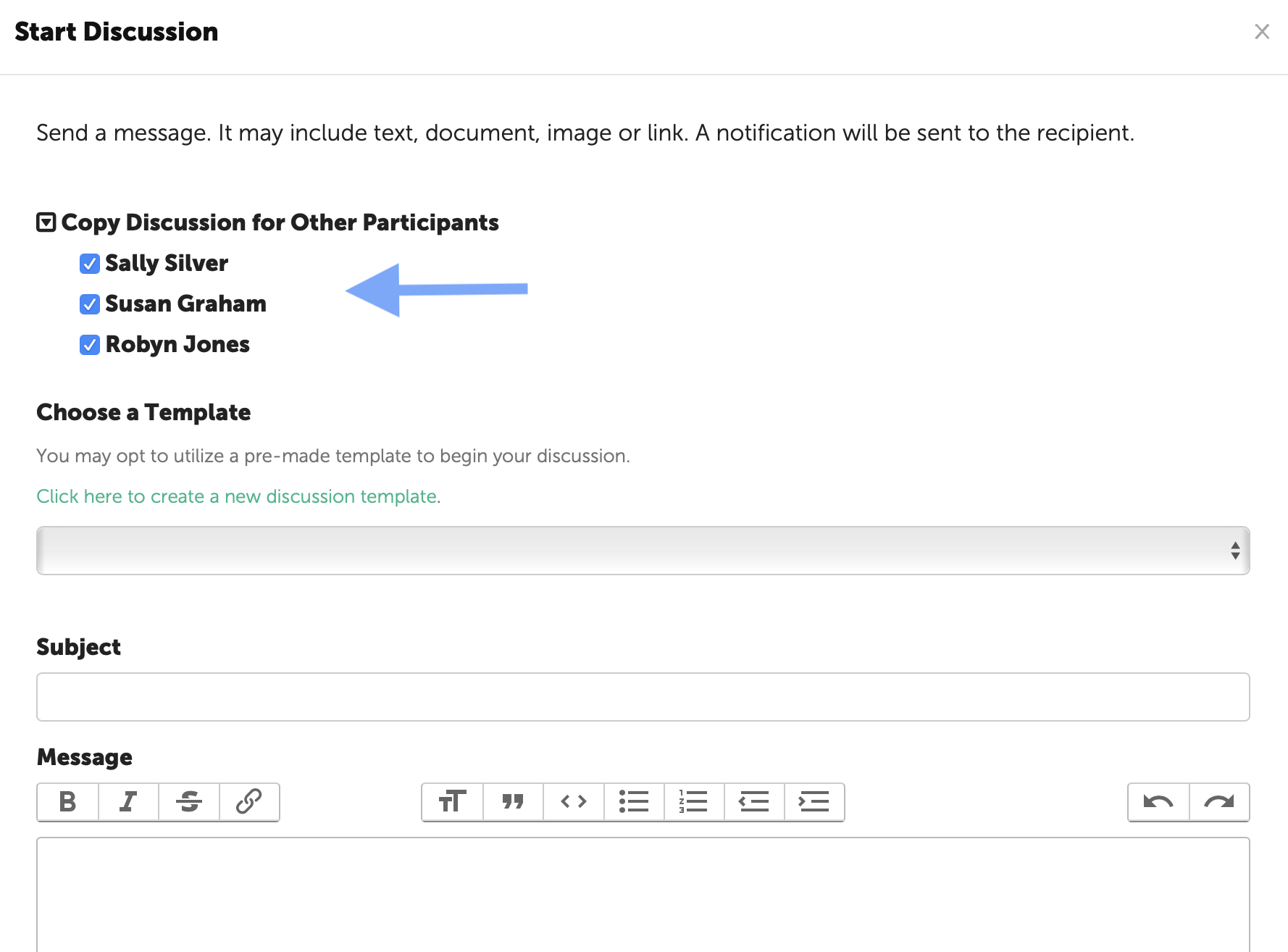
Your message may include text, images, links and/or files.
You may also utilize a Discussion Template for your message and/or schedule your message to be delivered at a later date.
When you are finished, click the "Start the Discussion" button at the bottom of the page.
NOTE: The Participant can only respond to a message directly to the Coach.
The sent message will be displayed on the Discussions page of each of the Participants that received it.