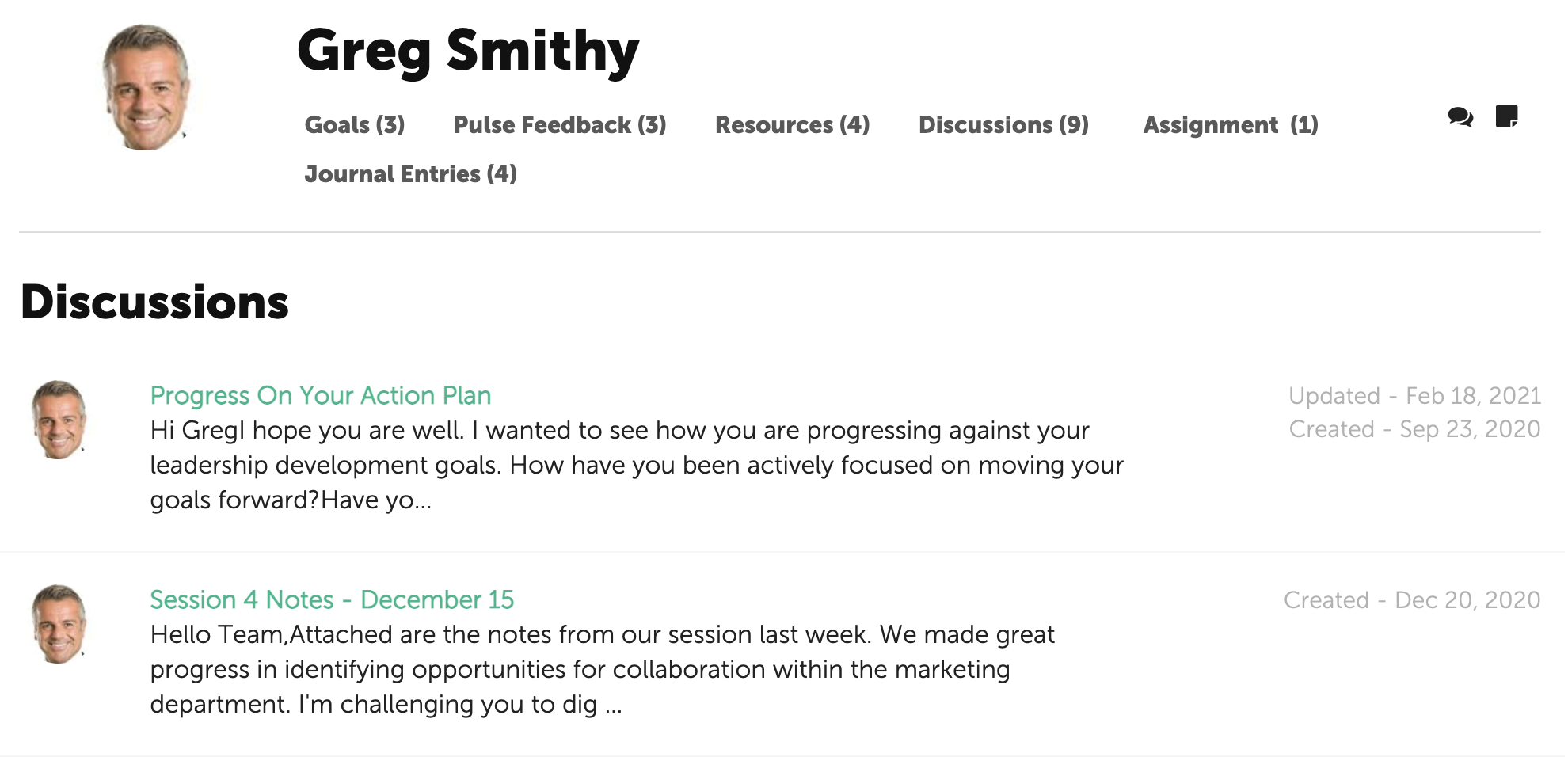
Discussions are online conversations between the Participant and Coach. They may be used to capture notes from a coaching session, reminders or to share files.
Discussions can be initiated by either the Coach or Participant.
Start a Discussion
To start a Discussion, click on the conversation icon on the right side of the page.

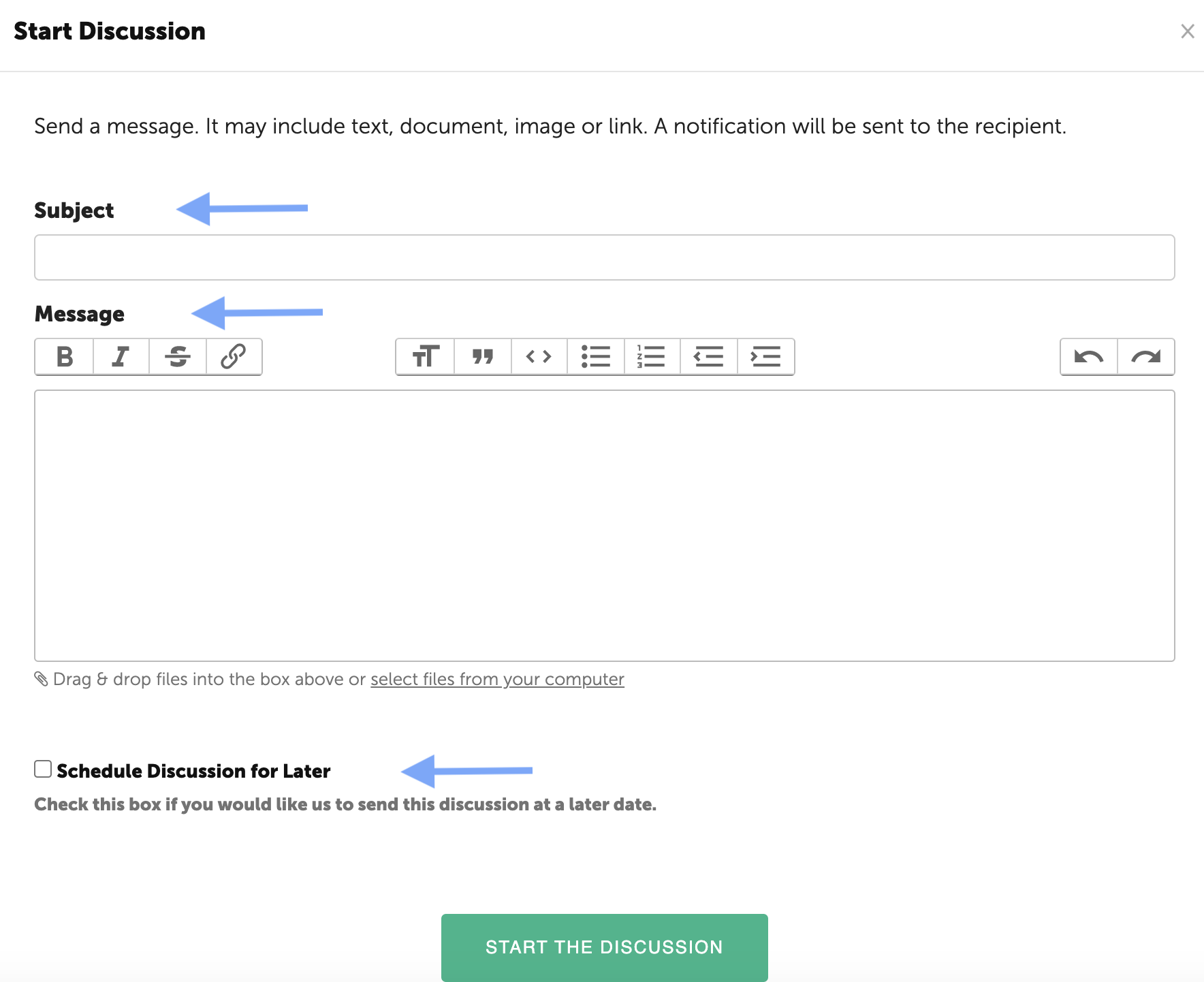
Enter a Subject in the first text box and then a message. Remember, you can also share files, images or video links.
At the bottom is an option to schedule the Discussion to be delivered at a later date. Check the box and a calendar will pop up. Select a date and the message will be scheduled for delivery.
When finished, click "Start the Discussion" to save.
An email will be sent to the Coach letting him/her know that a Discussion has been sent.
View History of Discussions
To view the history of discussions, click on the Discussions link under the Participant's name. All Discussions are listed with the most recent at the top. The created date and Updated dated (if applicable) will be displayed for each Discussion.