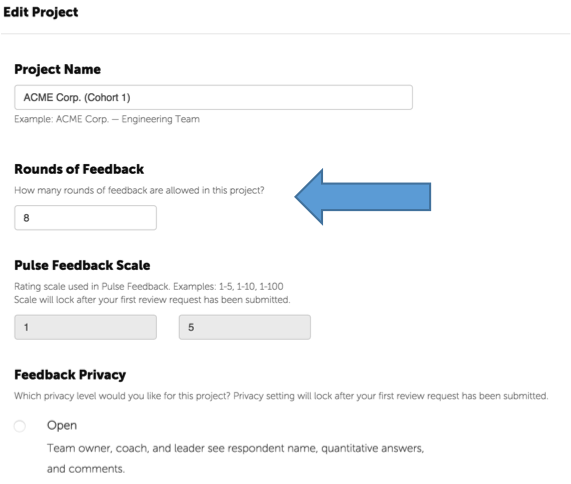
You can choose the number of pulse feedback rounds on your project. For example, for our seven month leadership development programs, we include six rounds of pulse feedback.
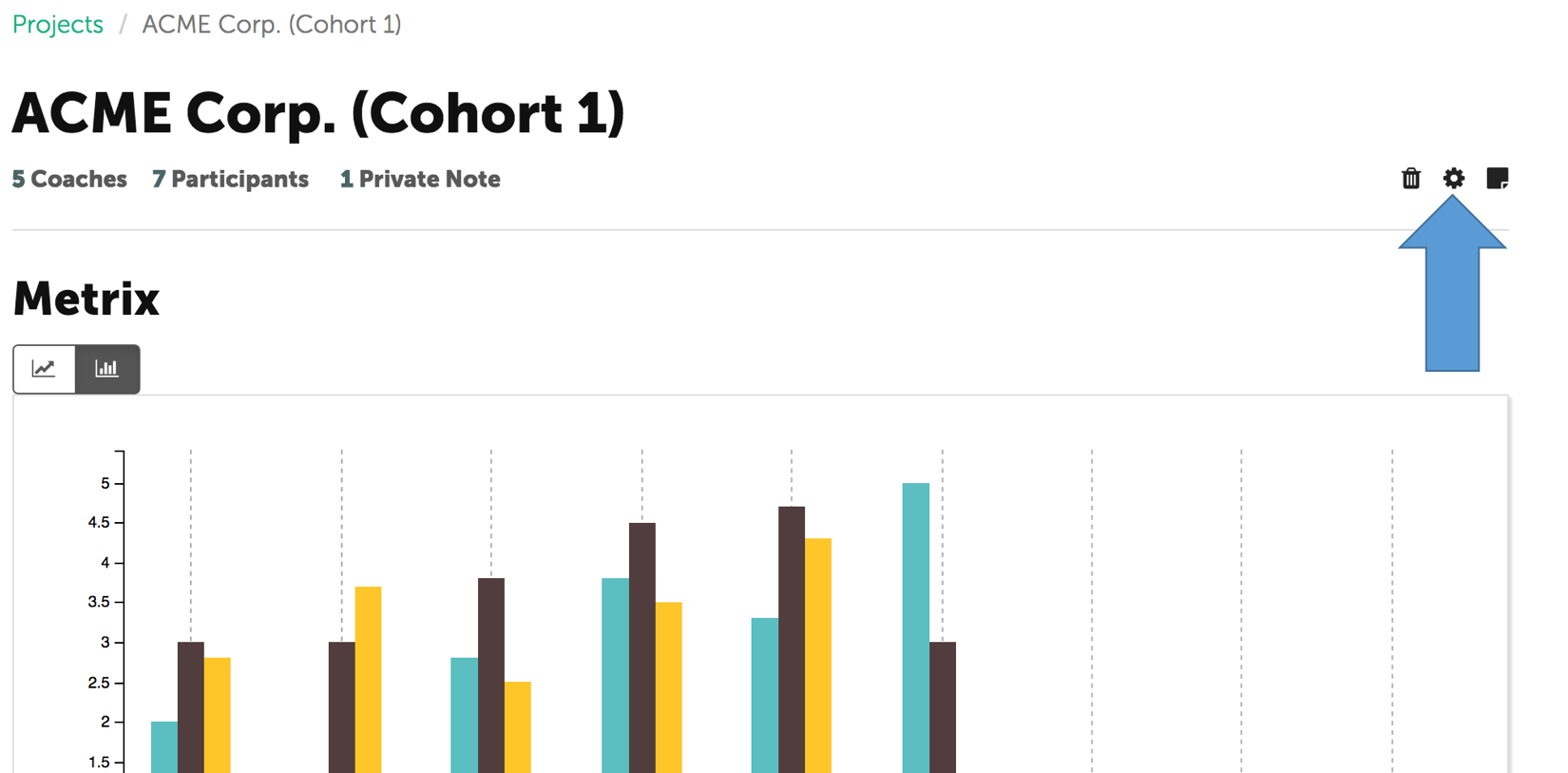
To change the number of pulse feedback rounds, click on the project settings icon in the upper right on your project screen.
Change the number of rounds of feedback. You can update this anytime during a project.
Click "Save the Project.