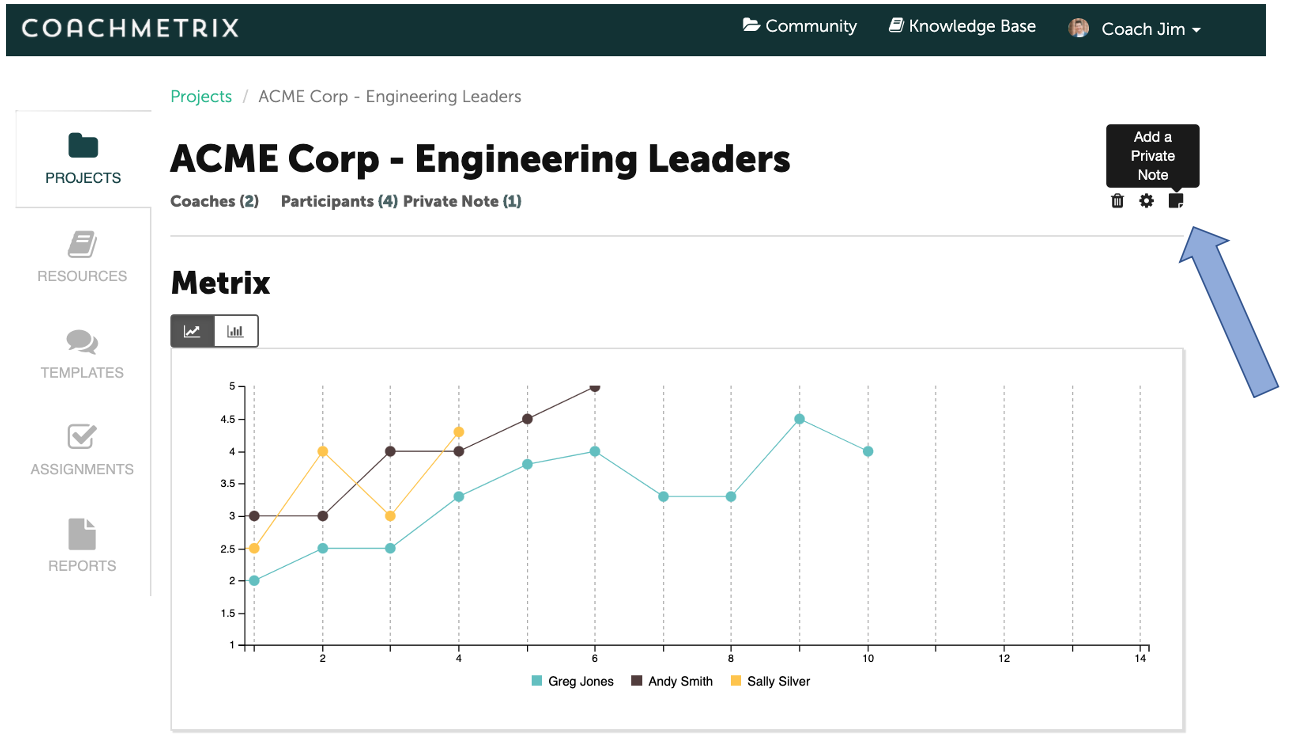
To create a Project level Private Note, click on the note icon in the upper right of the Project’s main page.
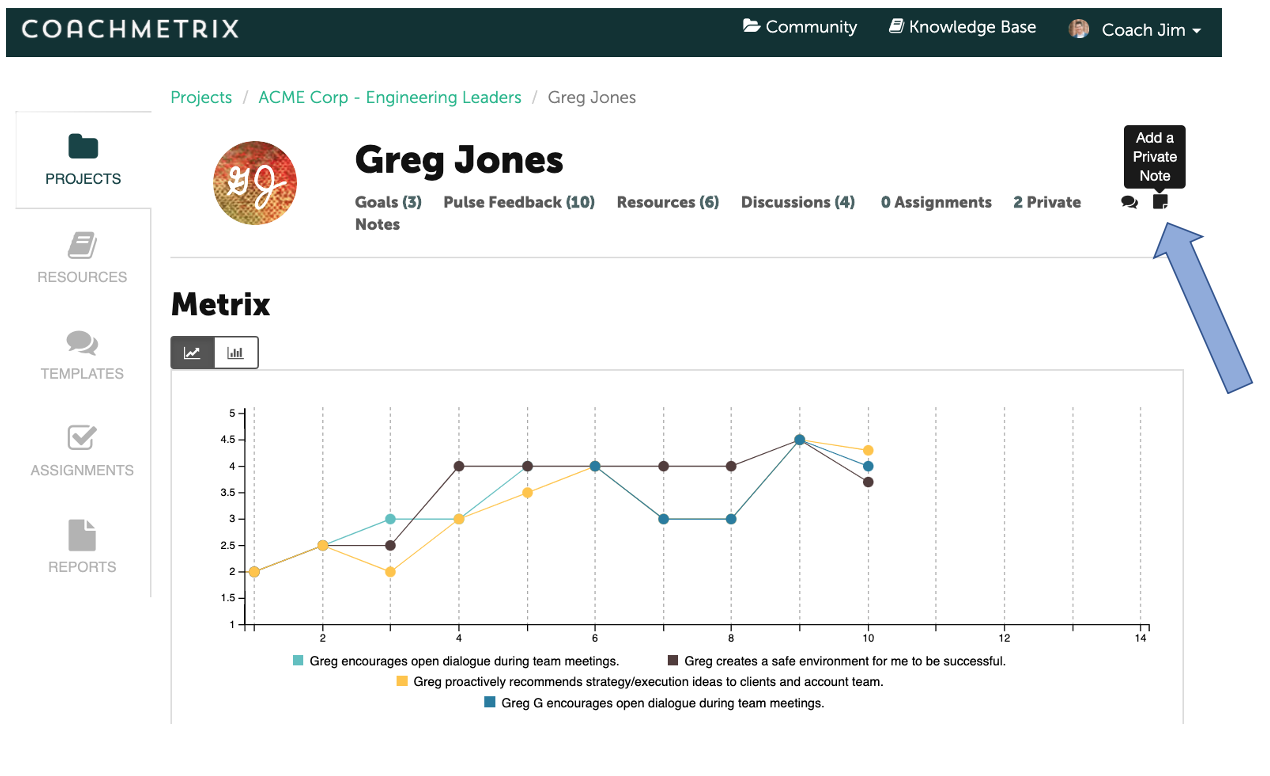
To create a Participant level Private Note, click on the note icon in the upper right of the Participant’s main page.
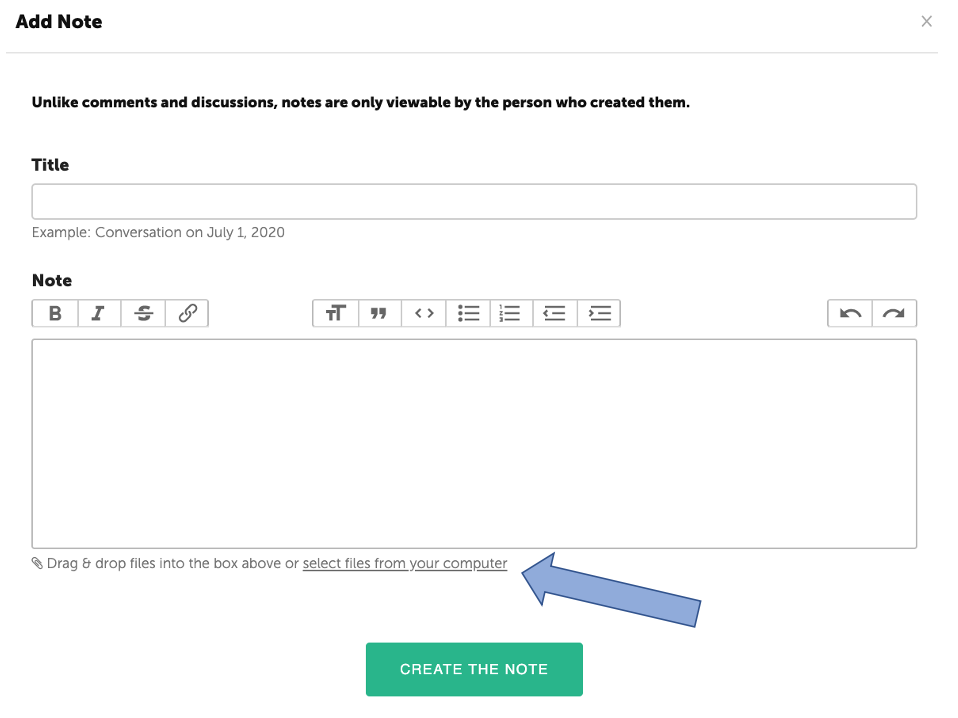
A window will pop up for the Private Note's title and body text. Adding files into the Private Note can be done by dragging and dropping files into the text box, or by selecting files from your computer. Save by clicking "Create the Note" button at the bottom.