
To create an Assignment, click on the “Create an Assignment” icon on the right side of the page.
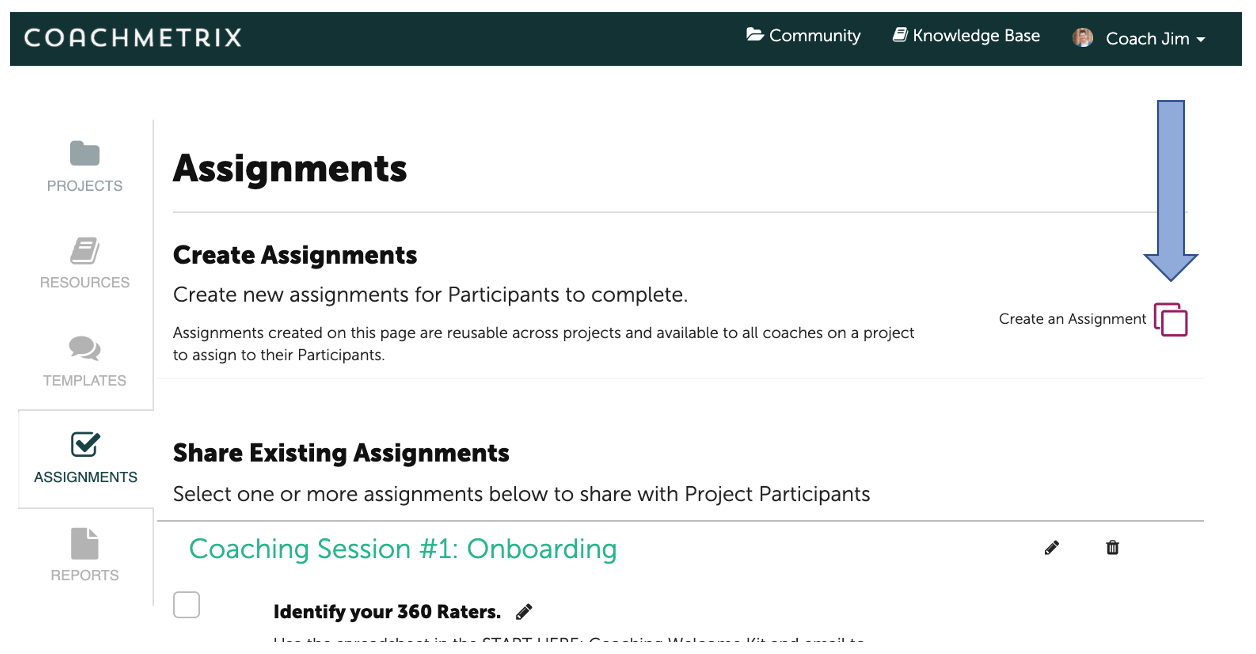
A pop up form will appear to Create an Assignment. Complete the text fields and click the “Submit” button at the bottom of the form.


What are you looking for?
Get help straight from the team at Coachmetrix...
Assignments
Last updated on 06 Nov, 2025
To create an Assignment, click on the “Create an Assignment” icon on the right side of the page.
A pop up form will appear to Create an Assignment. Complete the text fields and click the “Submit” button at the bottom of the form.