

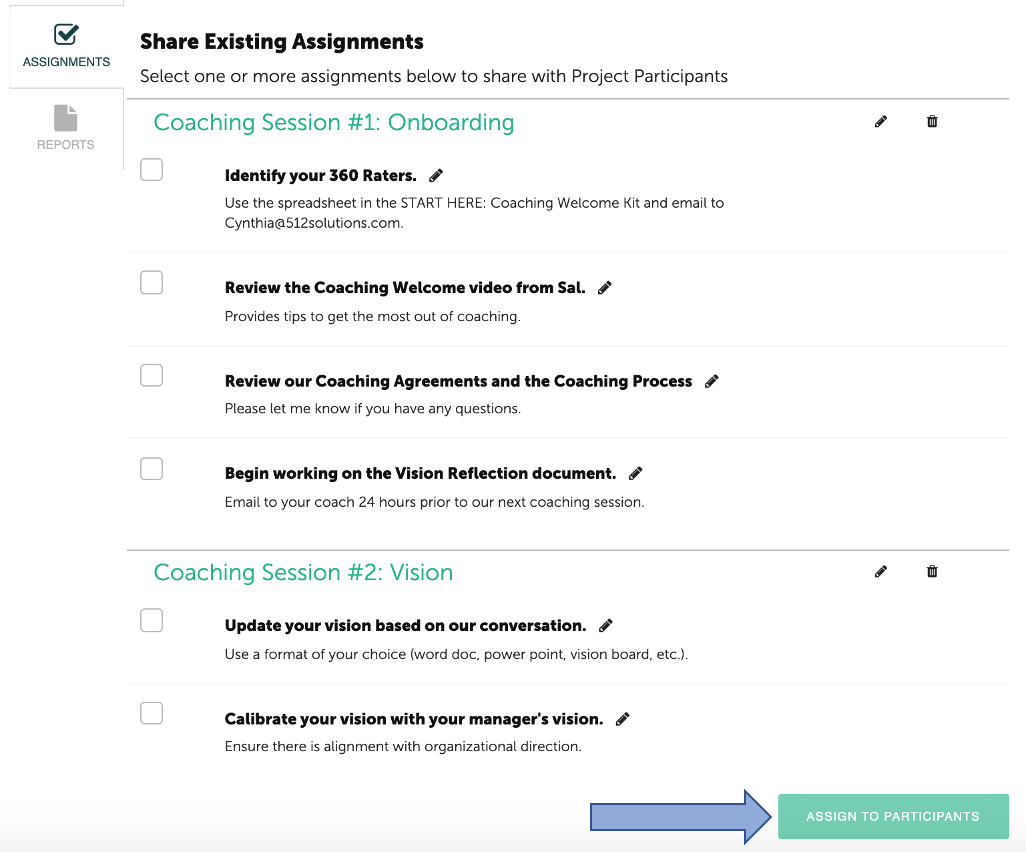
Once Assignments have been created, they are ready to be assigned to Projects and Participants. All created Assignments are displayed. (similar to Templates used in Discussions.) Select the Assignment(s) you would like to share, then click the “Assign to Participants” button at the bottom of the page.
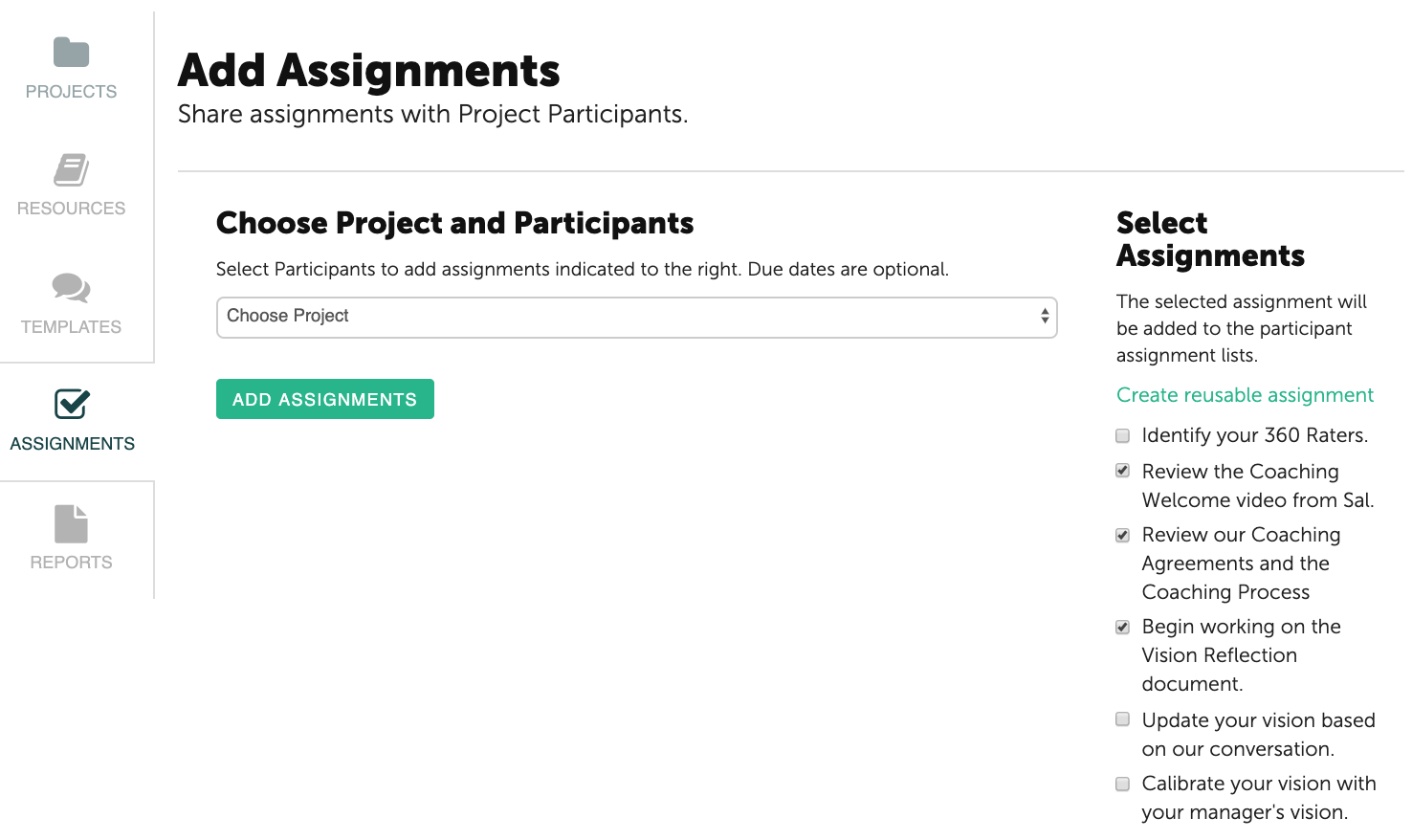
All Assignments are displayed in the column on the right side. The selected Assignments have a check mark. Select the appropriate Project from the drop down options.
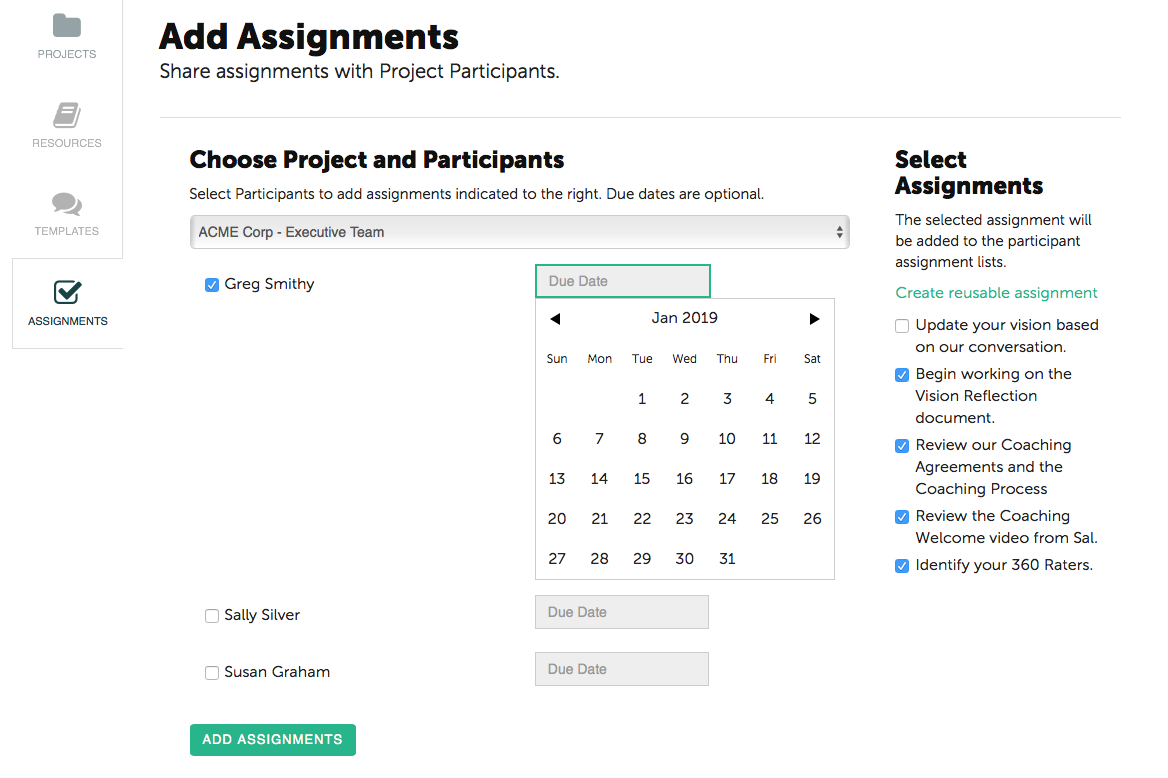
The Participants in the selected Project are displayed. Select the appropriate Participant(s) and assign a Due Date from the calendar. When selections are complete, click the “Add Assignments” button at the bottom.
Once an Assignment has been made, Participants receive email notifications that Assignments are posted in their Coachmetrix portal.