
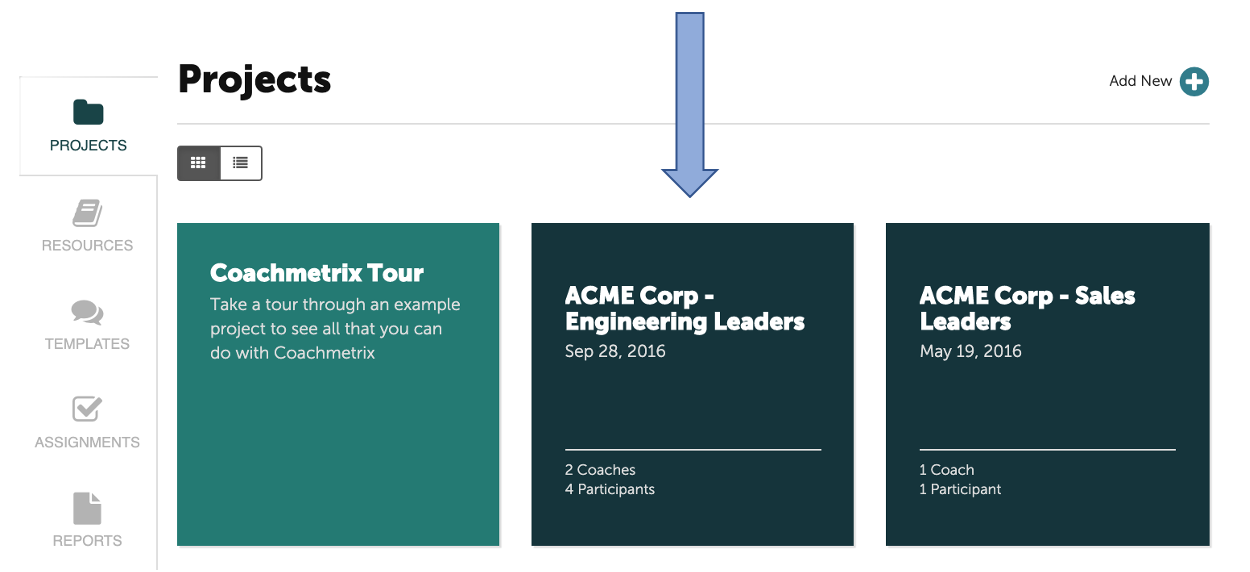
To delete a Project, first navigate to the Project's main page by selecting the appropriate tile.
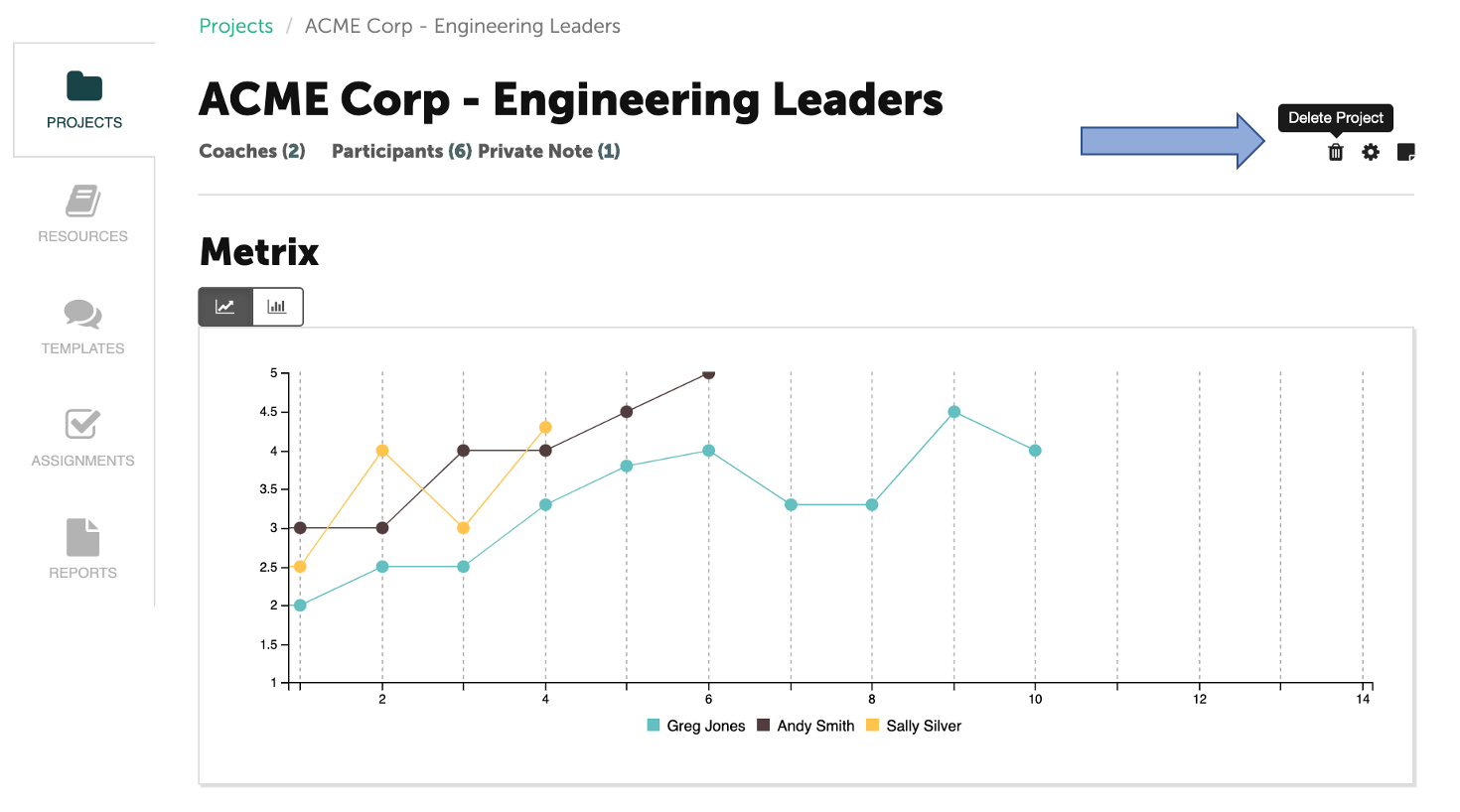
Next, select the trash icon in the upper right corner of the Project's page.
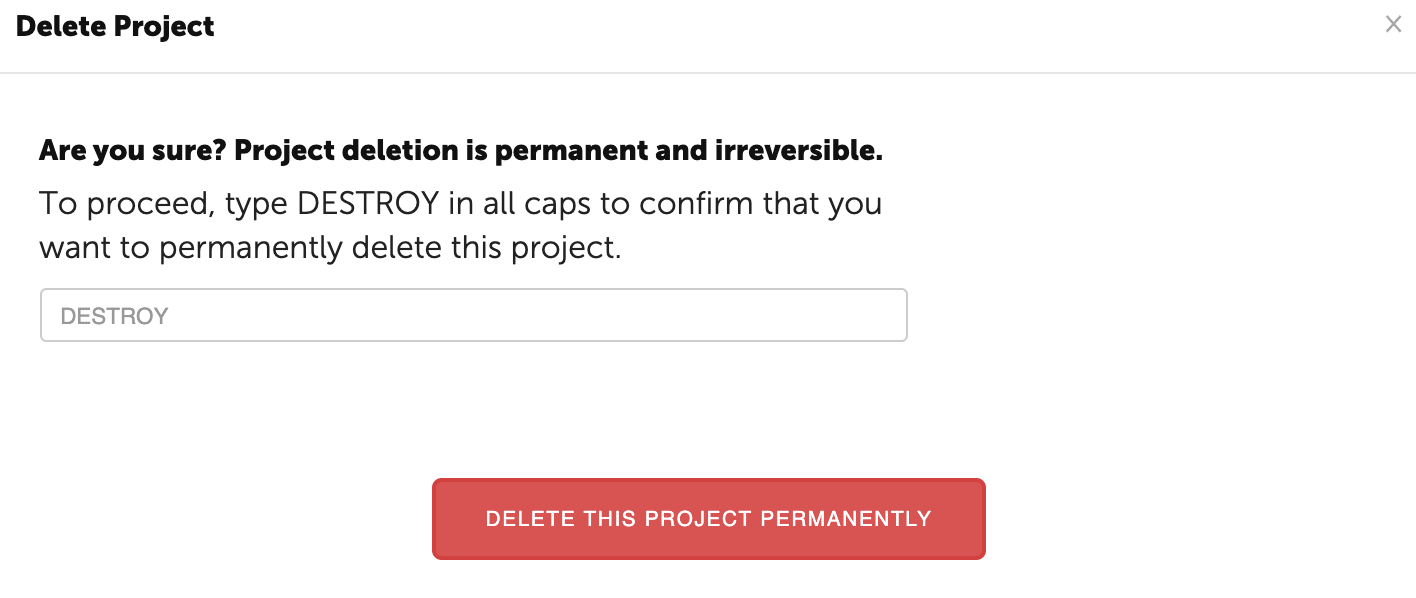
Type DESTROY in all caps and click “Destroy this Project Permanently”.

What are you looking for?
Get help straight from the team at Coachmetrix...
Projects
Last updated on 06 Nov, 2025
To delete a Project, first navigate to the Project's main page by selecting the appropriate tile.
Next, select the trash icon in the upper right corner of the Project's page.
Type DESTROY in all caps and click “Destroy this Project Permanently”.