

Coachmetrix was developed to be easily accessible and function on any mobile device. You can save a shortcut to the website on your phone/pad and it works just like an app.
iPhone
Login to the Coachmetrix website
Tap on the bookmark icon
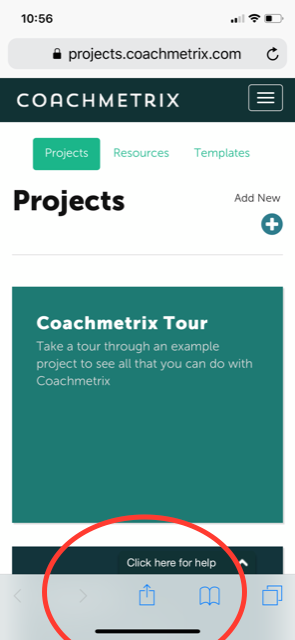
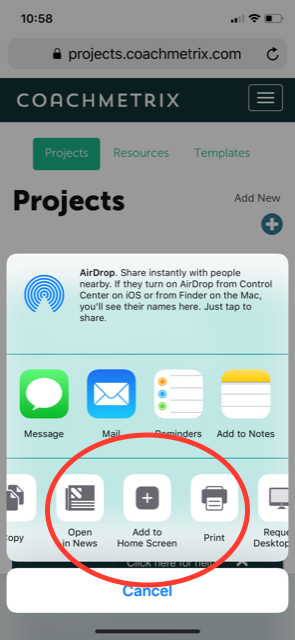
Select Add to Home Screen (scroll on bottom row)
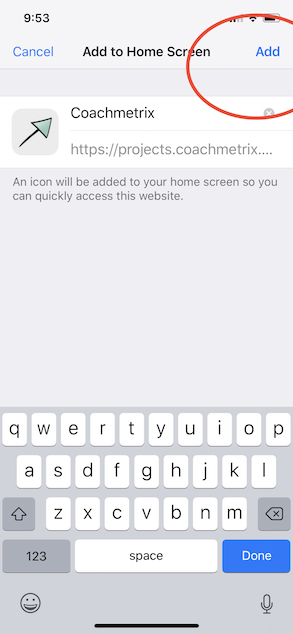
Select Add (top right corner)
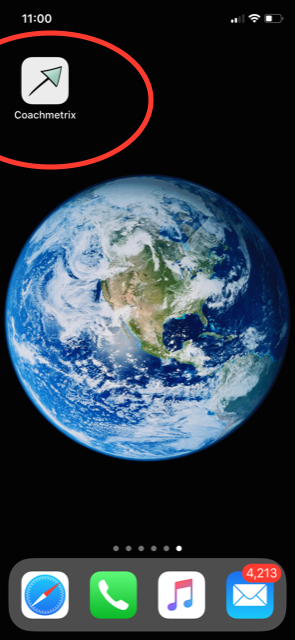
The Coachmetrix shortcut will now appear on your home screen
Other Smart Phones
Login to the Coachmetrix website
Press the Menu button (either below the screen on some devices or at the top right corner of the browser)
Tap Add to Home Screen
Click “OK”
The Coachmetrix shortcut will now appear on your home screen