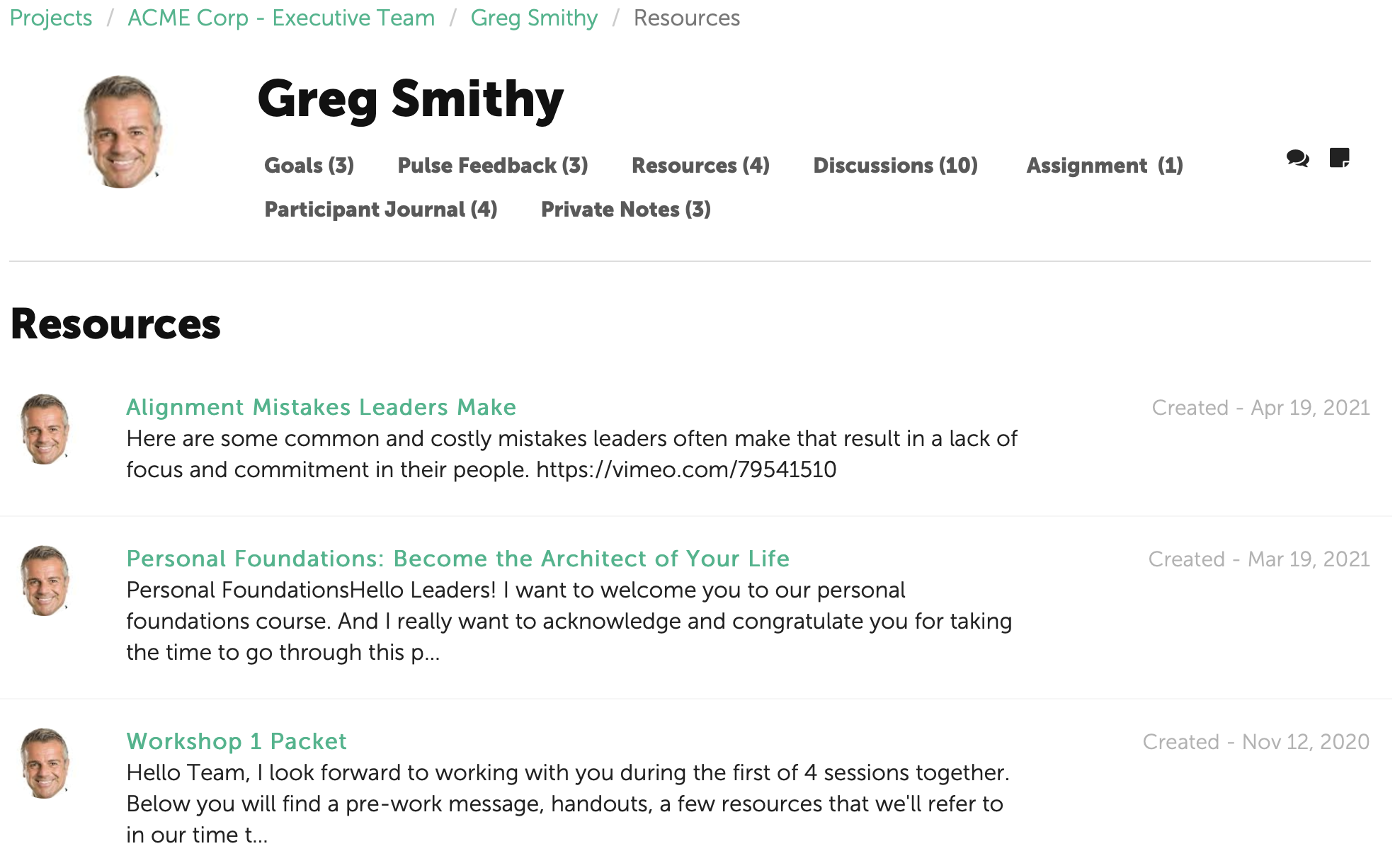
Resources and Collections can be shared by a Coach with any Participant to whom the Coach is assigned. Remember, Participants do not have access to the Coach's library of material. Within their portals, they will only see the Resources that have been shared with them and the dates they was shared.
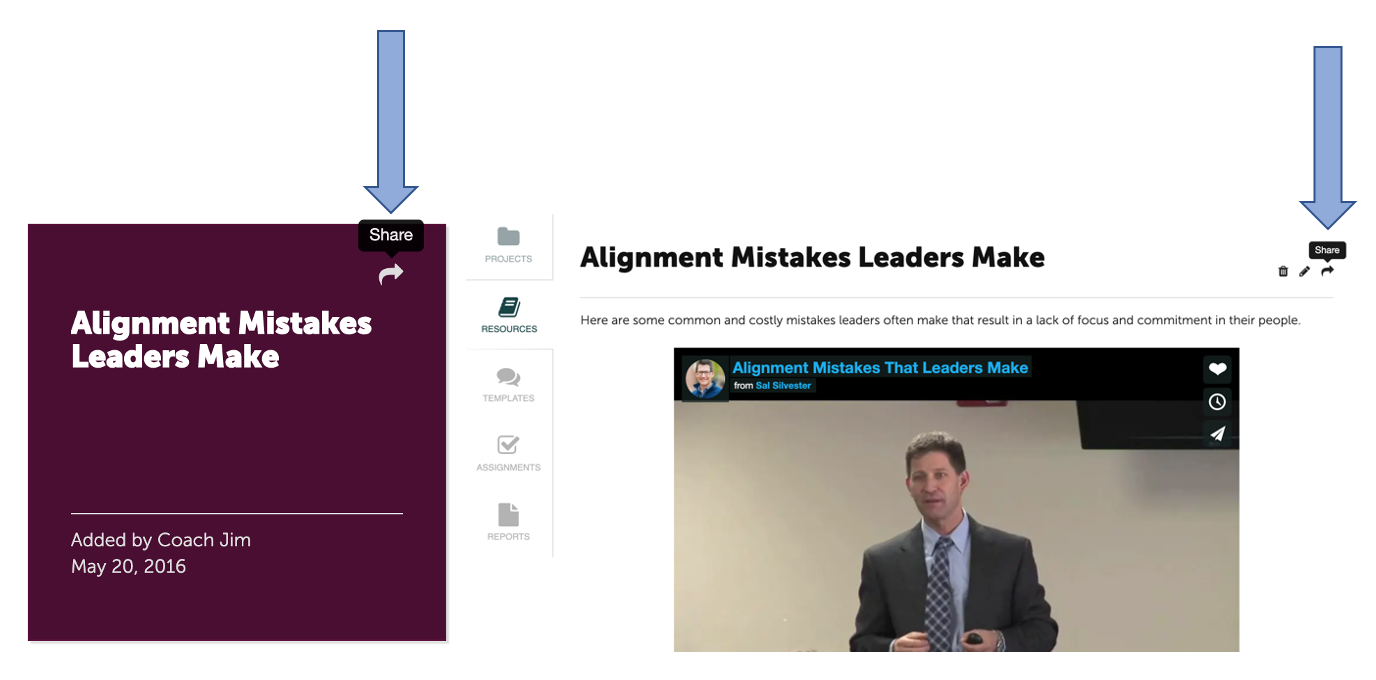
To share a Collection or Resource, click on the curved arrow in the upper right corner of the Collection or Resource tile. Or while inside the Collection or Resource, click on the curved arrow in the upper right of the Collection or Resource.
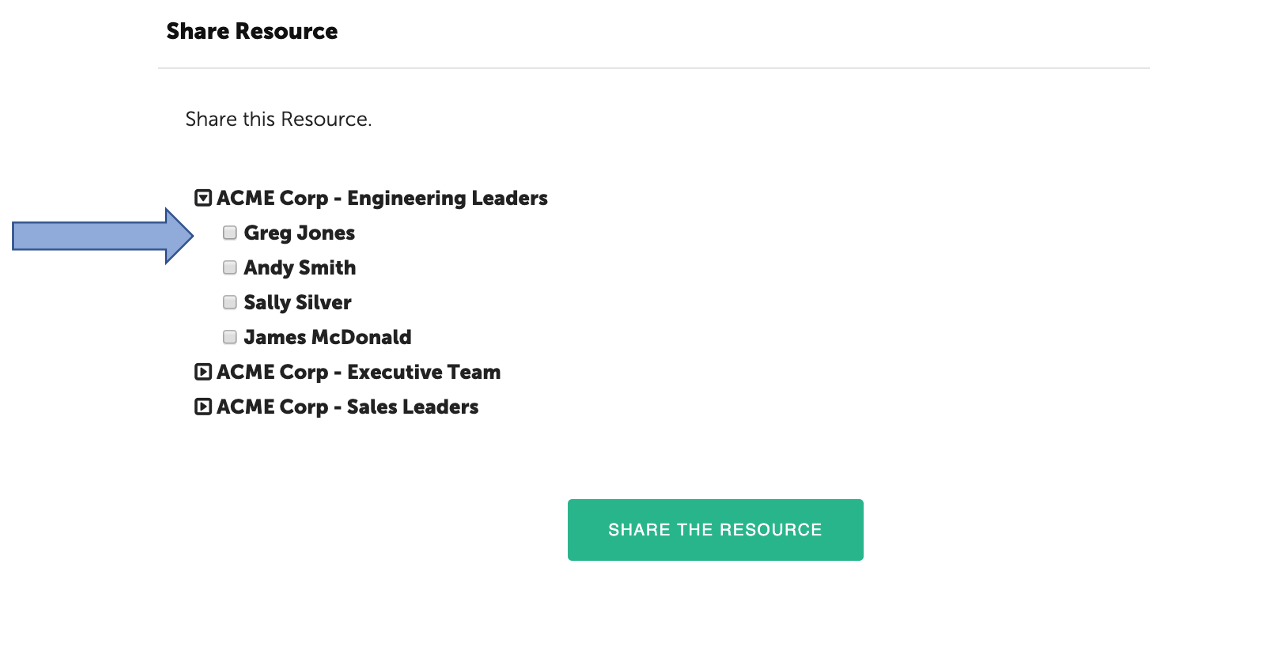
Then select the Participant(s) with whom you’d like to share the Collection or Resource and click "Share the Resource" or "Share the Collection."
The Participants will receive an email notification that their Coach has shared a Resource. When they login to their portal and click the Resource link, they will see the Resources/Collections that have been shared with them.