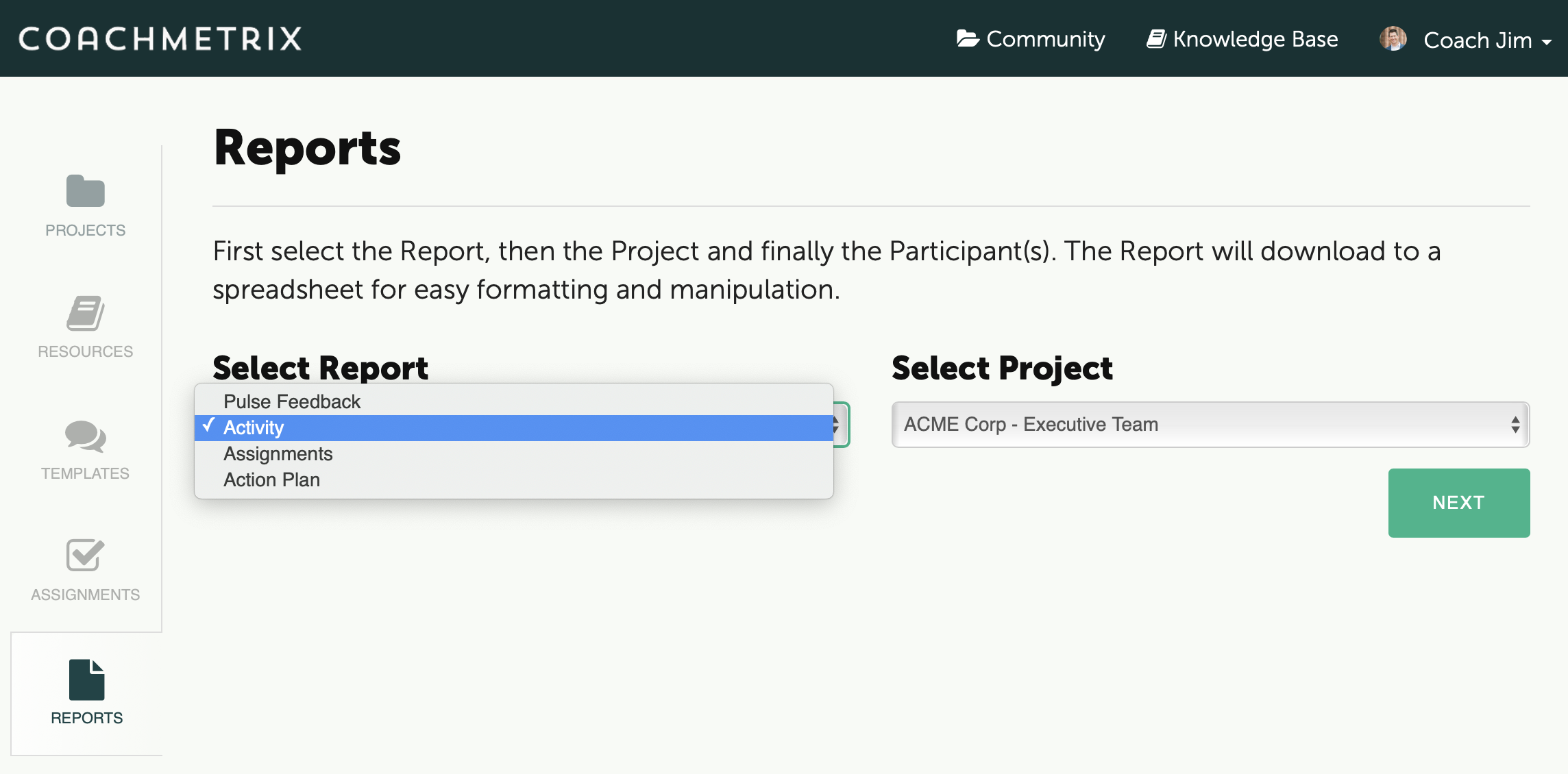
The Activity Report is available for Coaches to download from the Reports tab on the Coach’s Dashboard.
The Activity Report is a great way for Coaches to manage the progress their Participant's are making throughout the engagement.
After the Coach selects the Activity Report and the Project from the drop down list, click the Next button.
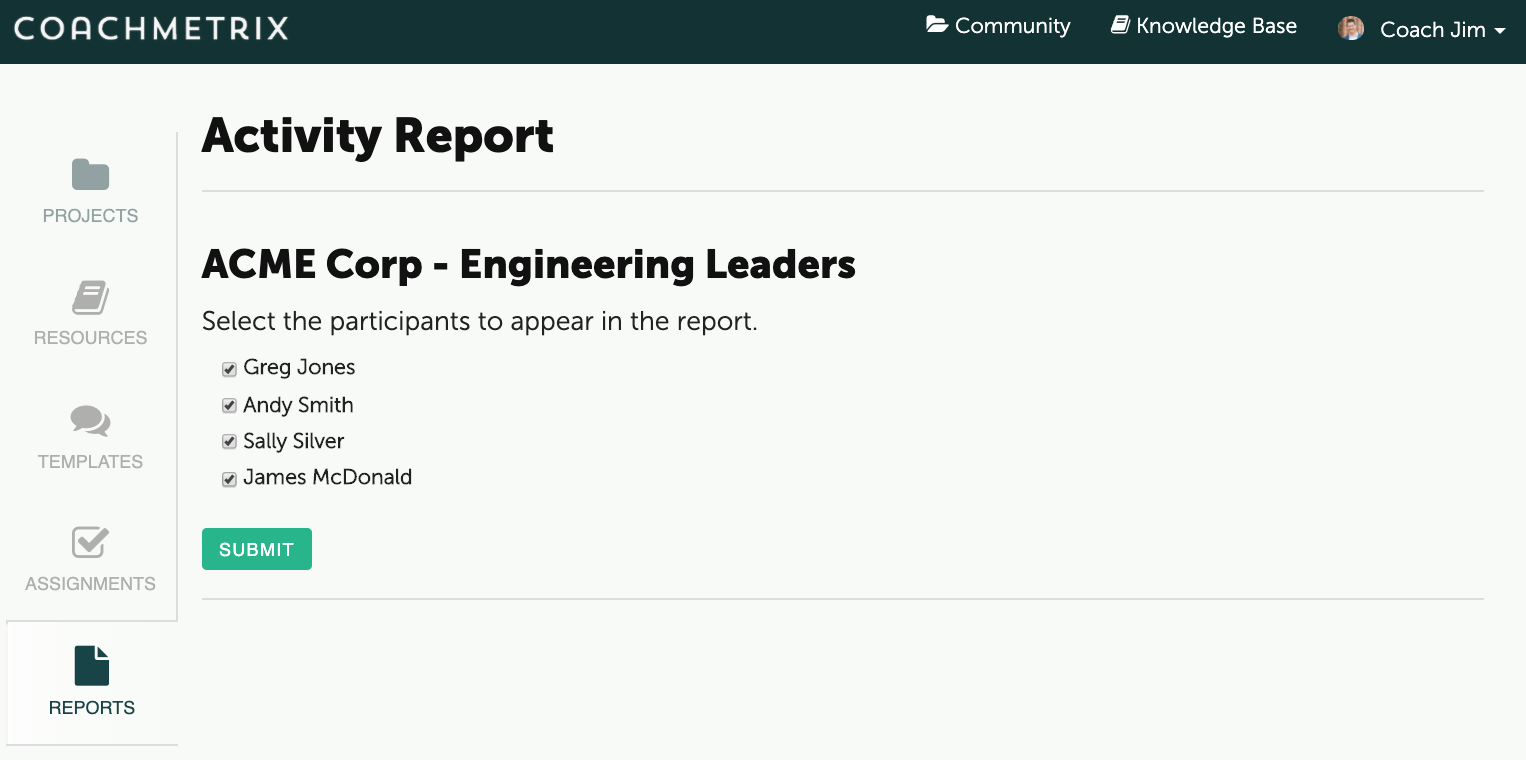
Then the Coach may choose from the list of Participants on the Project.
Finally, click the Submit button.
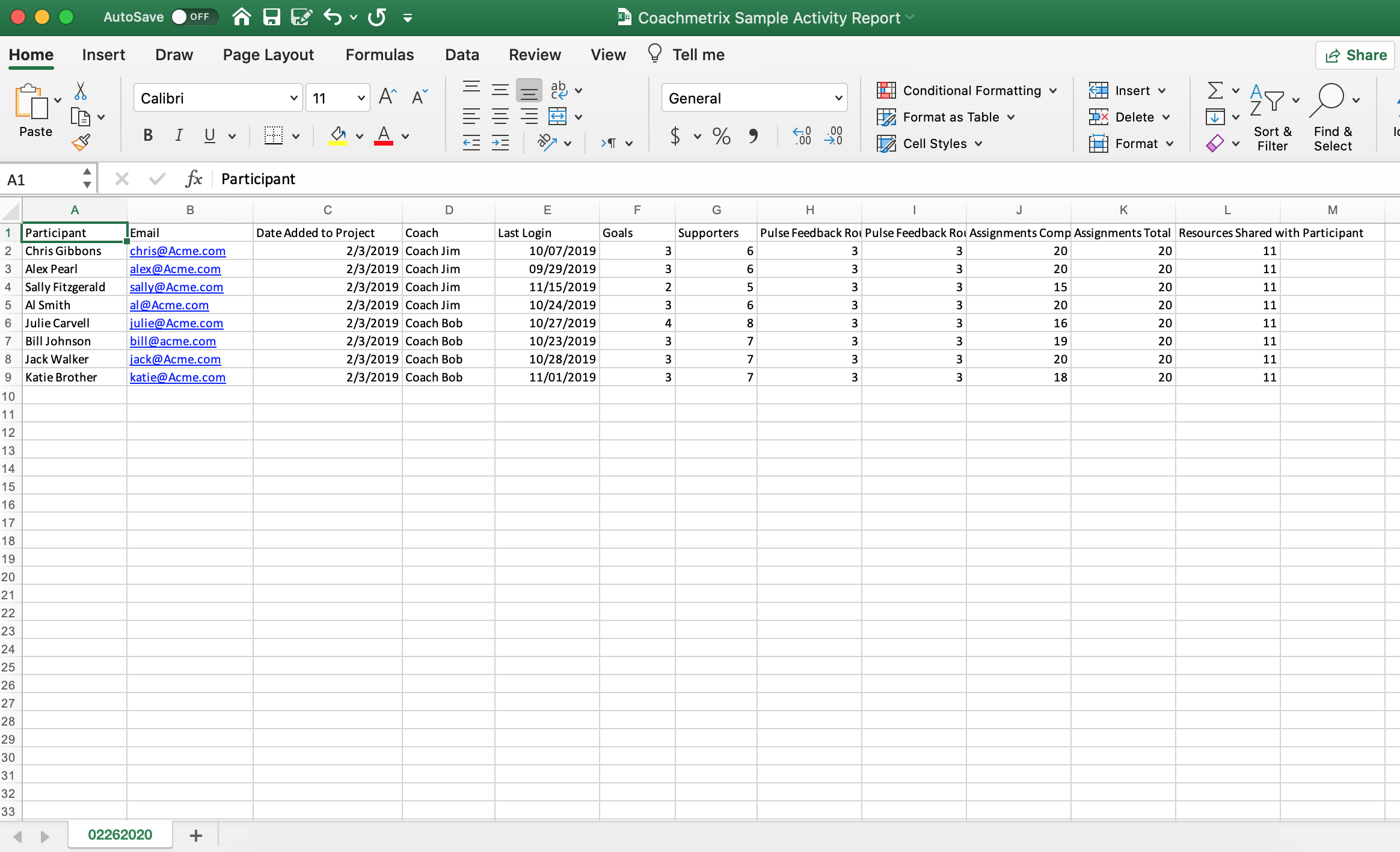
The Activity Report includes the following fields for the Participants selected:
Participant Name
Participant email
Date Added to Project
Name of Coach Assigned
Last Login Date
Number of Goals
Number of Supporters
Number of Pulse Feedback Rounds Submitted
Number of Pulse Feedback Rounds Total
Number of Assignments Completed
Number of Assignments Total
Number of Resources Shared with Participant
Number of Discussions
The data will download to a spreadsheet for review and easy formatting / manipulation.