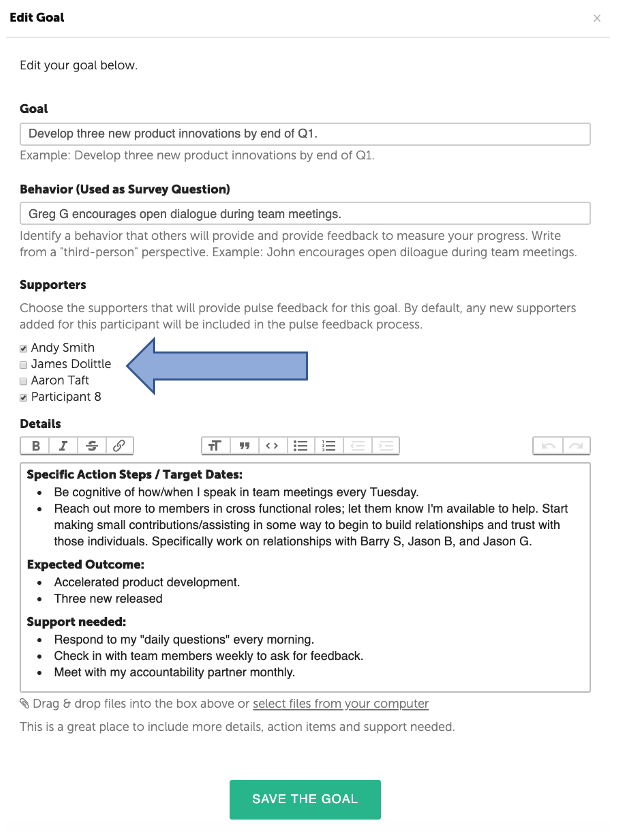
A Coach or Participant may choose which Supporters will provide Pulse Feedback for each of your goals.
Supporters may include the Participant's Manager, Peers, Direct Reports and Others. A Participant doesn't necessarily need all of those groups.
By default, all of your Supporters will be assigned to each of your goals. To customize which Supporter is assigned to each goal, take the following steps:
Create your goals/action plan [Knowledge Base > "Create an Action Plan - Goals"].
Add your Supporters.
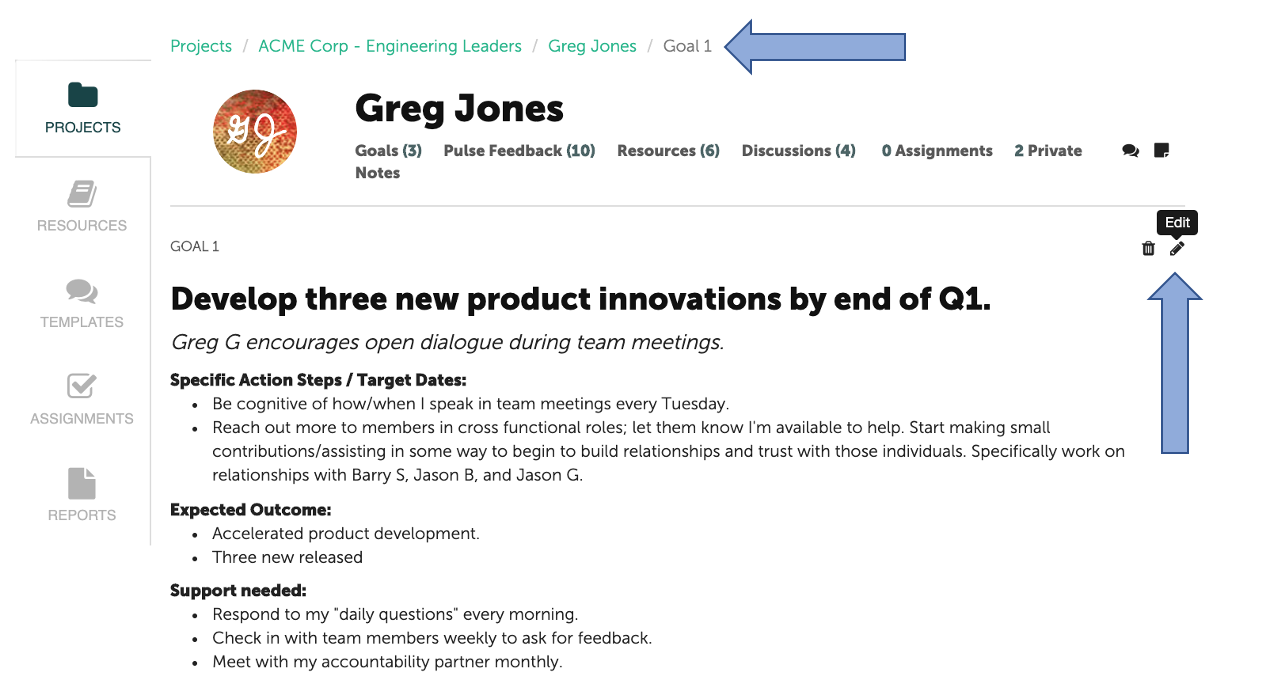
Go back into each goal and select edit (pencil icon).
Scroll down to the middle of the page and unselect the Supporters who should not provide feedback for that specific goal.
click "Save the Goal."
Repeat the process for each of your goals.