An Assignment can be edited for an individual Participant or for all Participants going forward.
Only the Coach can edit or delete an Assignment. (these options are not visible to the Participant.)
To edit an Assignment that has already been assigned to a Participant, navigate to the Participants page, select Assignments and click on the pencil icon on the right side of their page.
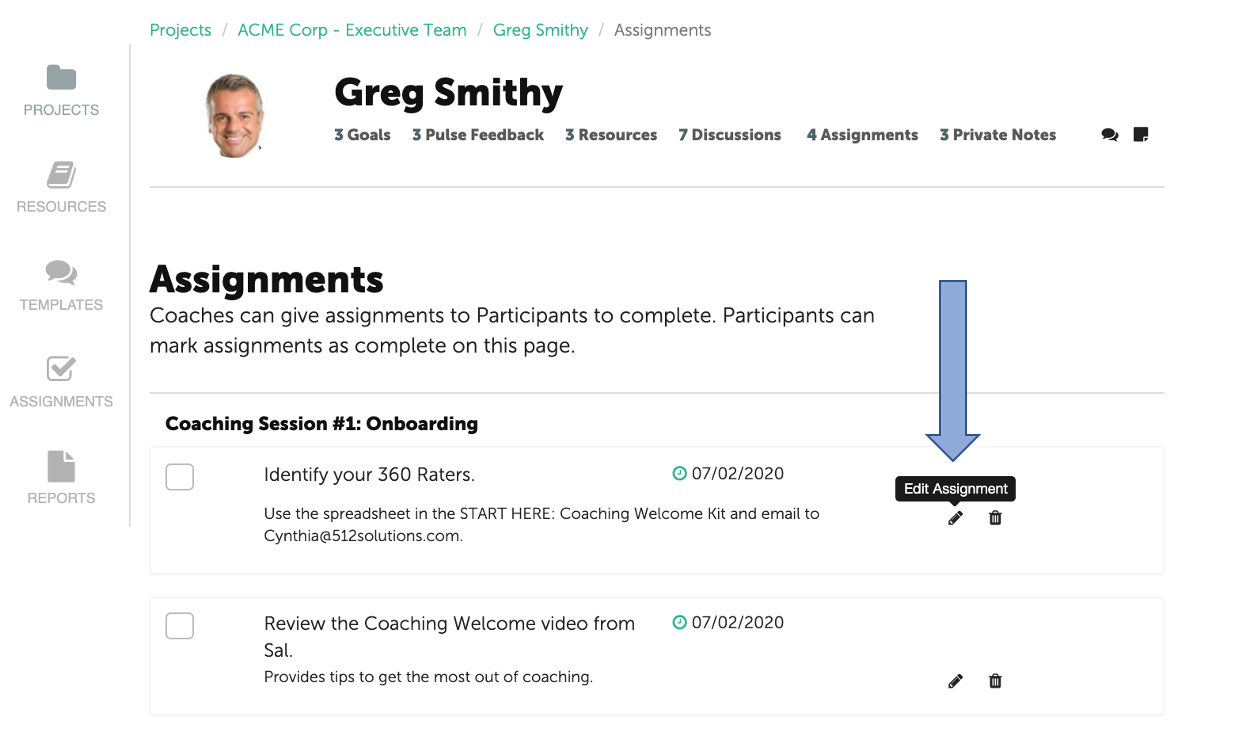
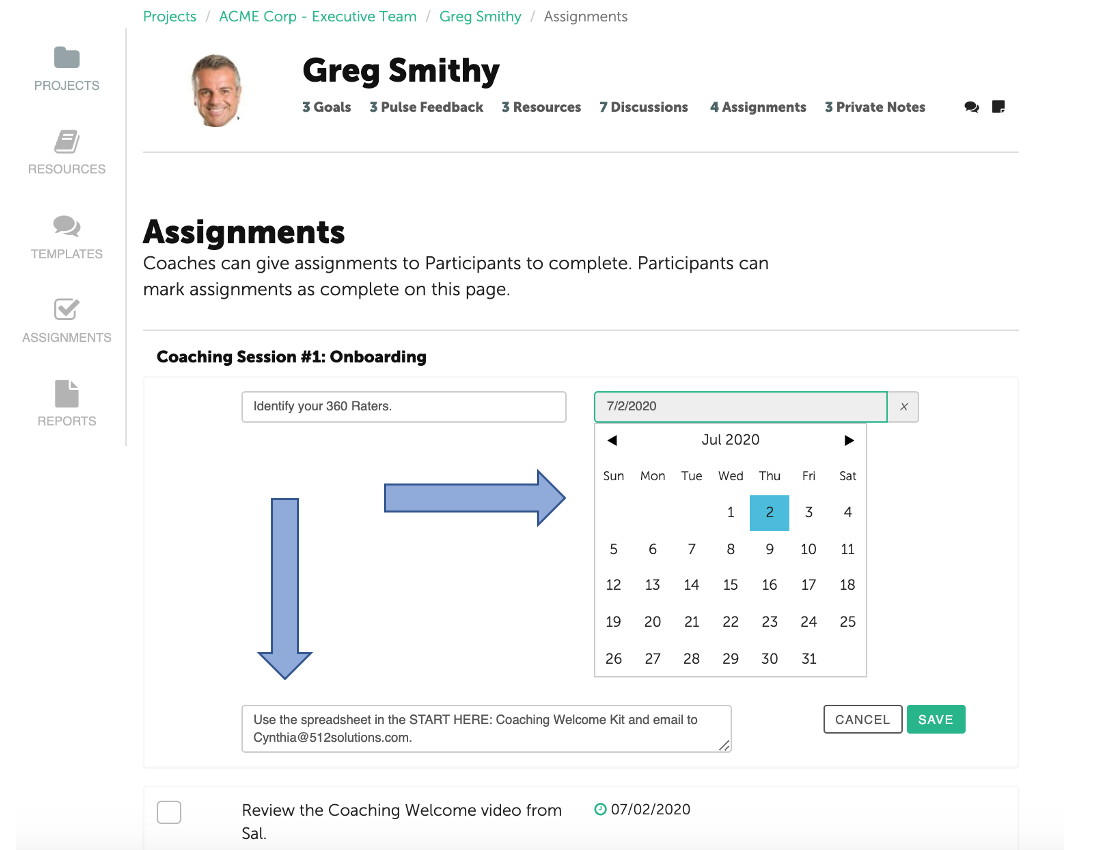
Note: editing the due date of an Assignment can only be done from the Participant's page.
You can then use the calendar to adjust the due date, or edit Assignment content.
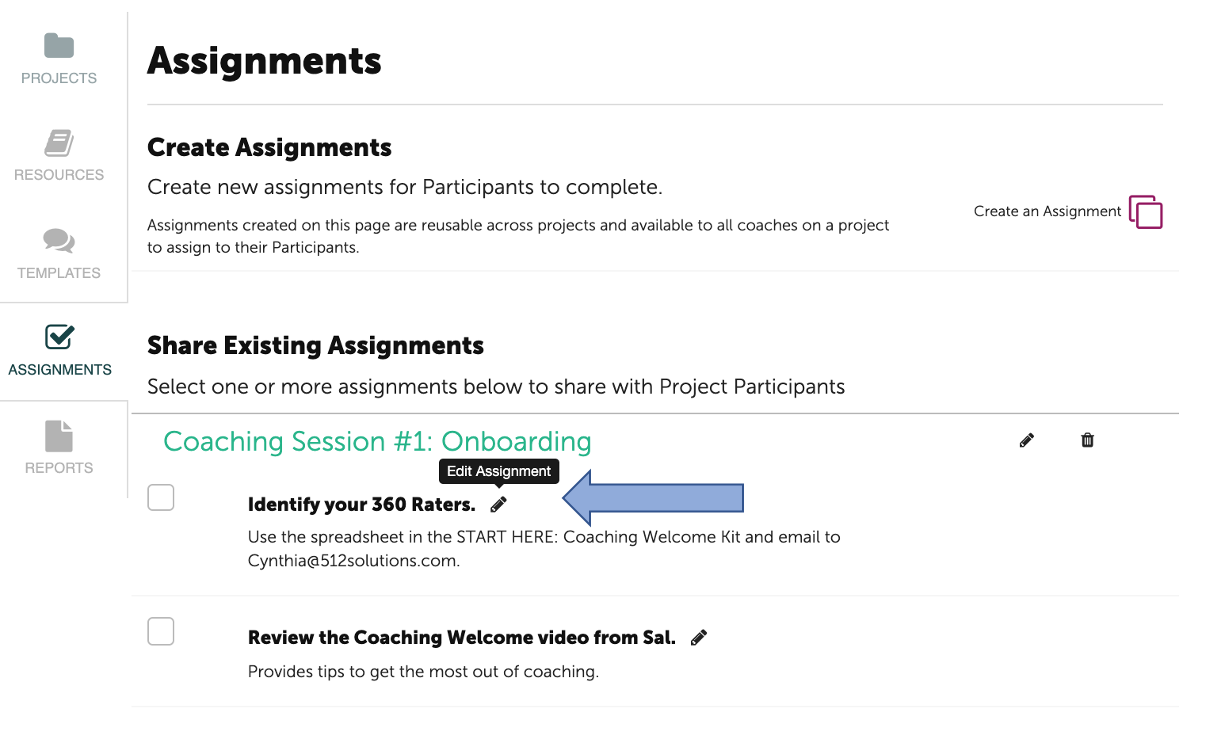
To edit or delete an Assignment for future use, click on the Assignments tab on the left side.
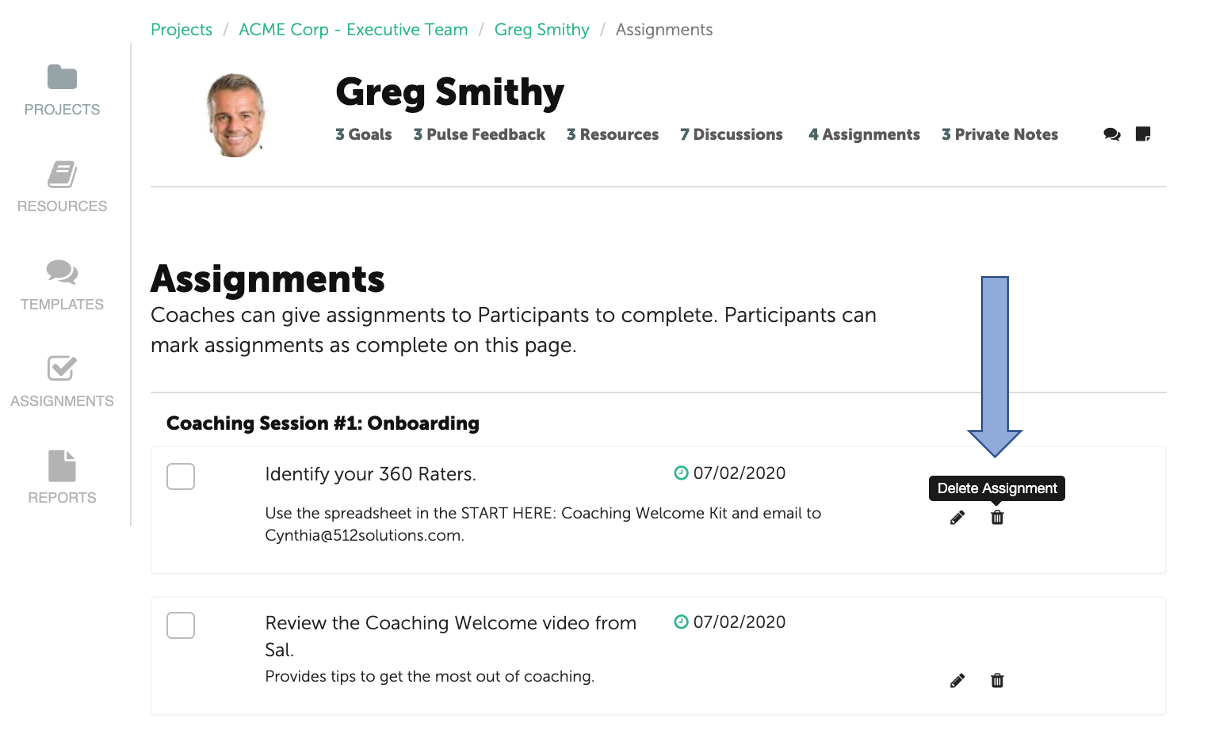
To delete an Assignment from a Participants list, select the trash bin icon next to the Assignment. Assignments can be deleted from either the Participant's page or the Assignments tab.