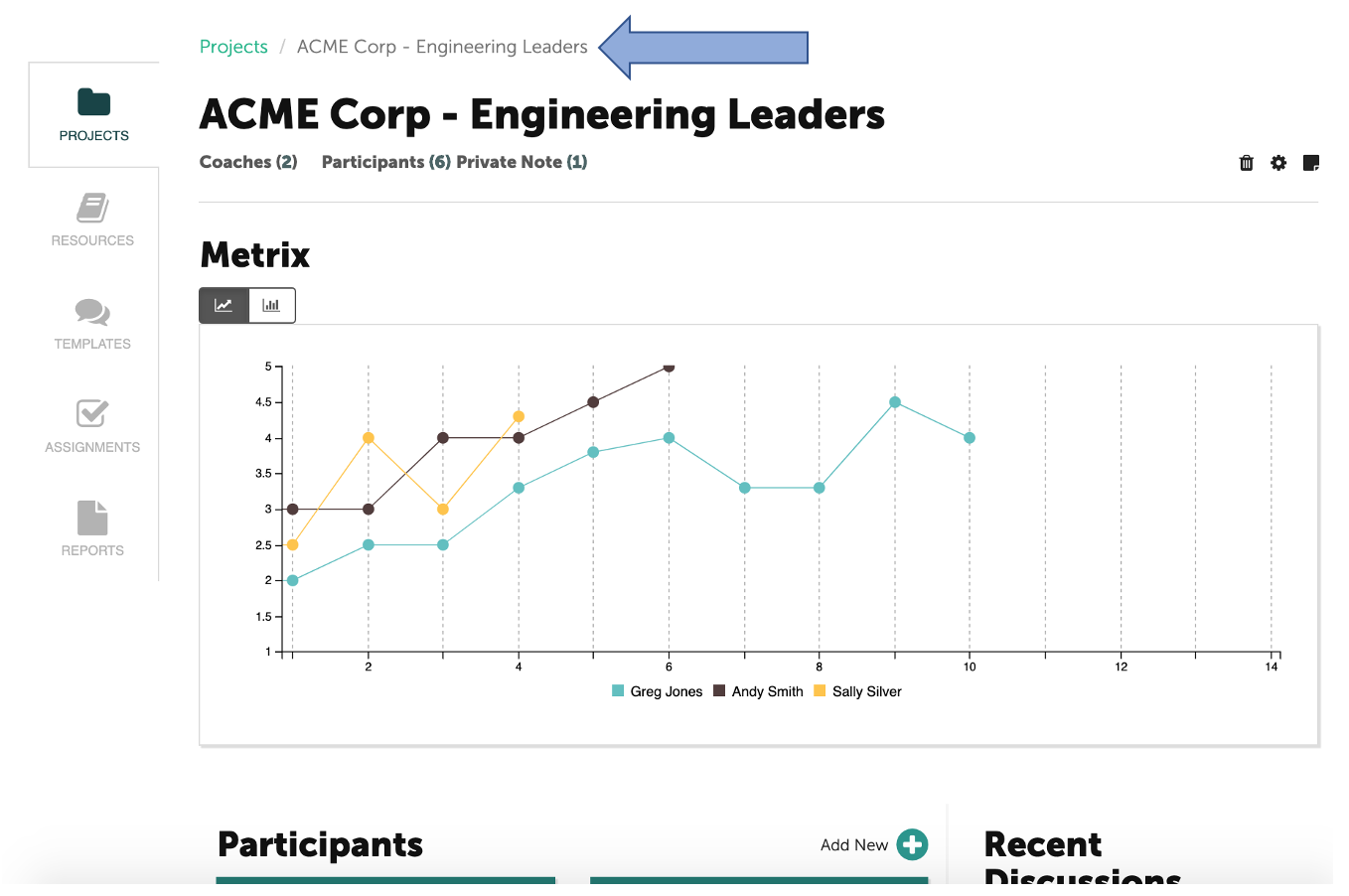
To remove a coach from your account, first select the project(s) in which the Coach is assigned.
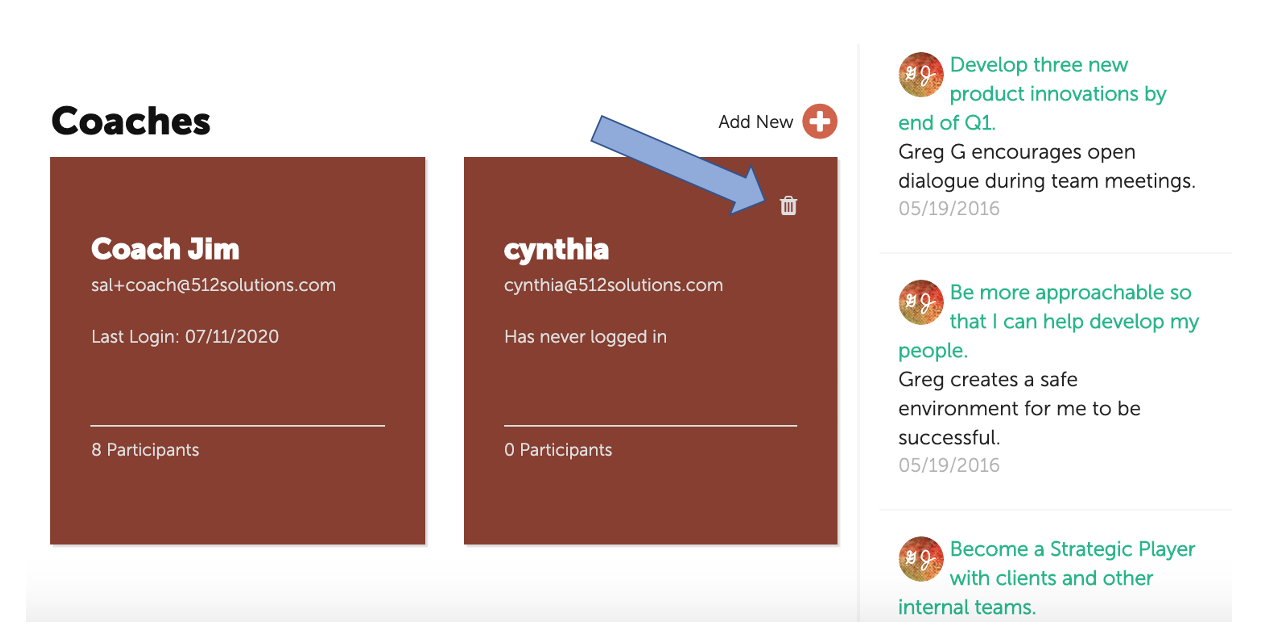
At the bottom of the page, tiles for the Coaches will be displayed. Click on the trash can icon at the top of the tile for the Coach you would like to remove.
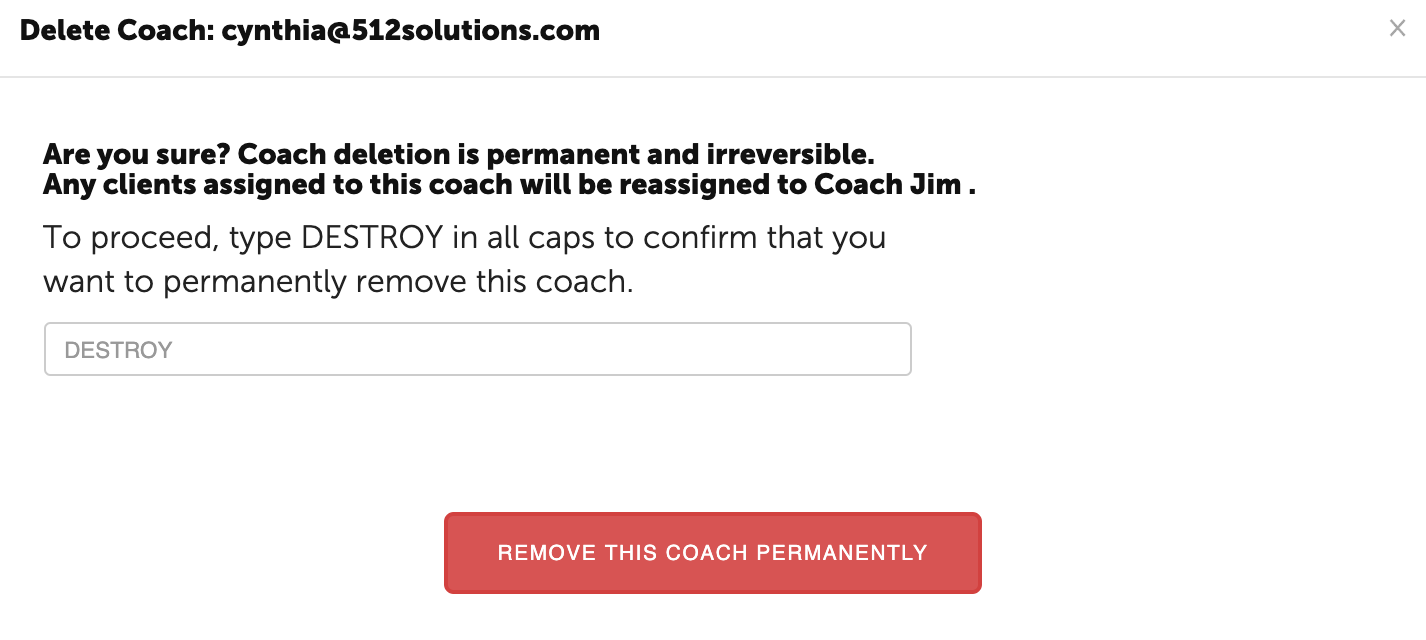
A pop-up window will appear. Type "DESTROY" in the text box and click on the red button at the bottom of the page.